

Winnie Grace Vio
Very Useful
 (3 reviews)
 11 Lessons
 37 Students
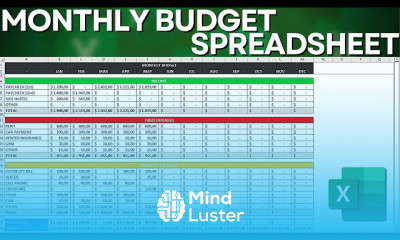
Monthly budget spreadsheet in excel course, in this course we will guide you through the process of creating an efficient monthly budget spreadsheet using Excel. We’ll begin by setting up a comprehensive template that tracks income, expenses, and savings. You'll learn how to utilize Excel’s powerful features, including formulas for summing and calculating variances, and how to apply conditional formatting to highlight important financial data. The course also covers how to create charts and graphs to visually represent your spending patterns and financial goals. We’ll provide practical tips for customizing the spreadsheet to fit your specific needs, ensuring that you can effectively manage and analyze your budget. By the end of this course, you’ll have a fully functional monthly budget spreadsheet, ready to help you take control of your finances and achieve your financial objectives. Start mastering budget management with Excel today.
 To Register in Course you have to watch at least 30 Second of any lesson
 Create a comprehensive monthly budget spreadsheet using Excel for income, expenses, and savings tracking
Apply Excel formulas to calculate totals, variances, and financial summaries for effective budget analysis
Utilize conditional formatting to highlight key financial data and identify overspending or savings opportunities
Design and implement charts and graphs to visually represent spending patterns and financial goals
Customize budget templates to suit personal or business financial management needs in Excel
Analyze financial data to identify trends, variances, and areas for cost reduction or savings improvement
Automate budget calculations with Excel functions for real-time financial updates and accuracy
Enhance financial decision-making skills through practical Excel tools for monthly budget management
11 Lessons • 3 h 57 m total
 You must have an
Account
on the platform.
Complete all lessons.
Watch at least 50% of Lesson Duration.
Get your Certificate free 🎉 !
4.3
(3 reviews)
Overall rating

Be the First One Review This Course
Very Useful

GOOOD

This course is a complete beginning model for my career journey. I do appreciate you for your patience, simplicity and kindness. I'm forever grateful for the opportunity to learn something meaningful on your place. Regards, Marcus Marvelous Livingstone
It's really helpful for me it good

Monthly budget spreadsheet in excel course, in this course we will guide you through the process of creating an efficient monthly budget spreadsheet using Excel. We’ll begin by setting up a comprehensive template that tracks income, expenses, and savings. You'll learn how to utilize Excel’s powerful features, including formulas for summing and calculating variances, and how to apply conditional formatting to highlight important financial data. The course also covers how to create charts and graphs to visually represent your spending patterns and financial goals. We’ll provide practical tips for customizing the spreadsheet to fit your specific needs, ensuring that you can effectively manage and analyze your budget. By the end of this course, you’ll have a fully functional monthly budget spreadsheet, ready to help you take control of your finances and achieve your financial objectives. Start mastering budget management with Excel today.
Experience the full power of Mindluster with Premium.
No distractions, just pure education.
Cancel your subscription anytime


















