Excel Password generator with random numbers Course

 (145 reviews)
-
 101 Lessons
-
 9 Students
- Certificate of completion


Excel Password generator course, in this course , we will learn about the Excel Password Generator. Excel is a powerful tool for creating secure and random passwords using its built-in functions. This course will guide you through the process of designing a password generator within Excel, starting with basic concepts and advancing to more complex techniques. We will cover how to use functions such as RAND, RANDBETWEEN, and CHAR to generate random numbers and characters. You will learn how to combine these elements to create strong, unique passwords. Additionally, the course will explore methods for customizing password length and complexity to enhance security. By the end of the course, you'll be equipped to create effective password generators and improve your data protection practices.
 To Register in Course you have to watch at least 30 Second of any lesson
What You'll Learn
-
 Create secure, random passwords in Excel using RAND, RANDBETWEEN, and CHAR functions
-
Design customizable password generators with adjustable length and complexity in Excel
-
Implement formulas to generate strong, unique passwords for data protection and security
-
Combine Excel functions to produce complex alphanumeric passwords for various security needs
-
Develop automated password creation tools within Excel for efficient security management
-
Enhance data security by generating unpredictable passwords with Excel's built-in functions
-
Apply best practices for customizing password strength and complexity in Excel spreadsheets
-
Utilize Excel to generate passwords suitable for personal, professional, and organizational use
-
Create dynamic password generators that adapt to different security requirements in Excel
-
Use Excel formulas to produce passwords that meet specific length and character criteria
-
Implement randomization techniques to improve password unpredictability in Excel
-
Design user-friendly password generators for non-technical users in Excel
-
Generate passwords with a mix of numbers, letters, and symbols for enhanced security in Excel
-
Automate password creation processes to save time and reduce manual effort in Excel
-
Apply Excel functions to generate passwords that comply with security policies and standards
-
Create reusable templates for password generation in Excel for ongoing security needs
Course Content
101 Lessons • 19 h 12 m total

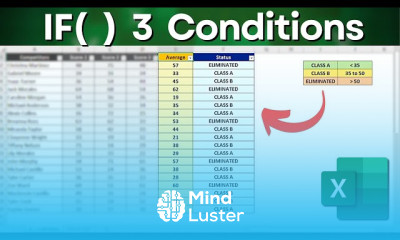
How to Use IF Function with 3 Conditions in Excel Step by Step Practical Example
How to use SUMIF function in Excel Practical Example Solving a Real Problem
How to use Flash Fill in Excel with a Practical Example Automate Tasks
How to Excel IF Formula Simple to Advanced Multiple Criteria Nested IF AND OR functions
How to Automate Lists in Excel Auto Populate Sequence IF COUNTA and MAX Function
How to Sum the Hours Over24 Hours Excel Trick How to Calculate Total Hours in Excel
VLOOKUP versus XLOOKUP Function Which One Is Better Practical Example
How to Use IF with AND Function Together in Excel Nested Function IF with multiple conditions
How to Combine Functions in Excel Combining Formulas and Functions Within the Same Cell
How to Use IF Function with 4 Criteria in Excel Step by Step with a Practical Example
How to Use the Filter Function in Excel to Help you to Do Analysis And to Filter Data
7 Functions You Need to Know in Excel to Help You on a Daily Basis or in a Job Interview
How to use Vlookup Function to Solve a Real Problem in 5 Minutes Practical Excel Example
How to Generate Random Number in Excel Passwords IDs SKUs Letters Symbols etc
VLookup HLookup XLookup What s the difference How to Use When to Use etc Practical Example
2 New Excel Formulas to Save Your Time StackV and StackH with a Practical Example
How to Use Emojis into Excel Function Practical Example
How To Count Colors with an Excel Function Count Colored Cells
How to IFERROR Function in Excel Automate Error Messages 3 Practical Examples
How to Calculate Full AGE in Excel DATEDIF function Day month and year
How to SUMIF Formula in Excel Most Important Function
Image Function in Excel New Formula to Get Images Directly from the Internet to Spreadsheet
Top 10 Most Important Excel Functions One Practical Example for each Formula How to
Solving an Excel Test for a Job interview Step by Step File to Download
Don t you have Xlookup Use Index Match Vlookup doesn t works here
How Many Days Are There in the Month Excel Functions DAY EOMONTH and TODAY
How to Calculate Age in Excel with Automatic Update DateDif and Today Function
Solving a Excel Job Interview Test Question Count Ifs Function Practical Example
IF Function with 4 Criteria in Excel IF Formula with many Conditions
How to SUMIFS in Excel with Dates and with Multiple Criteria Solving Real Problems
How to Sum per Month in Excel and add more criteria like Product Customer etc Sumifs function
RandBetween Function in Excel to create Raffles Random Datasets Numbers Dates etc
How to Password Generator in Excel with Random Numbers Letters and Symbols RandBetween Char
How to make a Raffle in Excel How to Draw a Name From a List Randomly
How to make Vlookup function Returns Multiple Matches Different Results
Vlookup with Multiple Criteria in Excel with a Practical Example Lookup Function
Excel Test for Job Interview 8 Question Step by Step File to Download
How to use the ABS Function in Excel with Practical Examples
How to CountIF and CountIFS in Excel with a Practical Example Counting with Criteria
How to Round Numbers in Excel with Functions Rounding Multiple Rounding Up Down Integers etc

How to Get The Certificate
-
You must have an
Account
on the platform.
-
Complete all lessons.
-
Watch at least 50% of Lesson Duration.
-
Get your Certificate free 🎉 !
4.8
(145 reviews)
Overall rating

Reviews
Be the First One Review This Course
Related Courses
View All


















Excel Password generator with random numbers Course Description
Excel Password generator course, in this course , we will learn about the Excel Password Generator. Excel is a powerful tool for creating secure and random passwords using its built-in functions. This course will guide you through the process of designing a password generator within Excel, starting with basic concepts and advancing to more complex techniques. We will cover how to use functions such as RAND, RANDBETWEEN, and CHAR to generate random numbers and characters. You will learn how to combine these elements to create strong, unique passwords. Additionally, the course will explore methods for customizing password length and complexity to enhance security. By the end of the course, you'll be equipped to create effective password generators and improve your data protection practices.
Focus on Learning, Not Ads
Experience the full power of Mindluster with Premium.
No distractions, just pure education.
Cancel your subscription anytime
