Progressive donut charts in excel Course

 (175 reviews)
-
 8 Lessons
-
 1 Students
- Certificate of completion


Progressive donut charts in excel course, in this course we will learn about Progressive Donut Charts in Excel, a versatile tool for visualizing data that progresses through various stages or time periods. We will start by understanding the fundamentals of creating Progressive Donut Charts, which are designed to show how data evolves over time or across different phases. You will learn how to construct these charts step-by-step, from setting up the initial data to designing the chart layers. The course will cover how to customize the appearance of the charts, including adjusting colors, labels, and sizes to highlight key data points. We will also explore techniques for combining multiple layers to display complex datasets and compare different metrics effectively. By the end of this course, you'll be proficient in using Progressive Donut Charts to present dynamic data insights, track progress, and make data-driven decisions with clarity and impact.
 To Register in Course you have to watch at least 30 Second of any lesson
What You'll Learn
-
 Create dynamic Progressive Donut Charts in Excel to visualize data evolution over time or stages effectively
-
Customize colors, labels, and sizes in Progressive Donut Charts for clear data emphasis and visual appeal
-
Construct multi-layered Progressive Donut Charts to display complex datasets and compare metrics accurately
-
Design Progressive Donut Charts that highlight key data points for impactful data storytelling in Excel
-
Implement techniques to track progress and data changes using Progressive Donut Charts in Excel
-
Combine multiple chart layers to represent evolving data trends and phase comparisons visually
-
Apply best practices for setting up initial data and designing Progressive Donut Charts in Excel
-
Utilize Excel features to enhance the readability and presentation of Progressive Donut Charts
-
Analyze data progression over time or stages with interactive and customizable Progressive Donut Charts
-
Make data-driven decisions by interpreting insights from well-designed Progressive Donut Charts in Excel
Course Content
8 Lessons • 1 h 39 m total

How to Create a Beautiful and Modern Look Chart in Excel Step by Step From Scratch
How to Make a Modern Looking Column Chart in Excel To use in Presentations
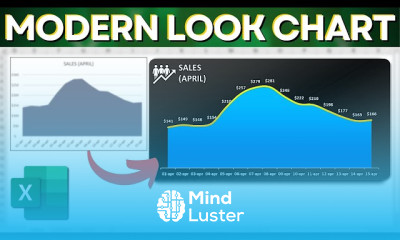
Modern Line Area Chart in Excel How to Make a Beautiful Design Chart
How to Make a Beautiful and Modern Looking Excel Chart Practical Example 3 Models
How to Make a Actual vs Target Chart in Excel SumIF Function From Dataset to the Chart
How to Get The Certificate
-
You must have an
Account
on the platform.
-
Complete all lessons.
-
Watch at least 50% of Lesson Duration.
-
Get your Certificate free 🎉 !
4.2
(175 reviews)
Overall rating

Reviews
Be the First One Review This Course
Related Courses
View All


















Progressive donut charts in excel Course Description
Progressive donut charts in excel course, in this course we will learn about Progressive Donut Charts in Excel, a versatile tool for visualizing data that progresses through various stages or time periods. We will start by understanding the fundamentals of creating Progressive Donut Charts, which are designed to show how data evolves over time or across different phases. You will learn how to construct these charts step-by-step, from setting up the initial data to designing the chart layers. The course will cover how to customize the appearance of the charts, including adjusting colors, labels, and sizes to highlight key data points. We will also explore techniques for combining multiple layers to display complex datasets and compare different metrics effectively. By the end of this course, you'll be proficient in using Progressive Donut Charts to present dynamic data insights, track progress, and make data-driven decisions with clarity and impact.
Focus on Learning, Not Ads
Experience the full power of Mindluster with Premium.
No distractions, just pure education.
Cancel your subscription anytime
