


Sachin
Great
 (36 reviews)
 2 Lessons
 16 Students
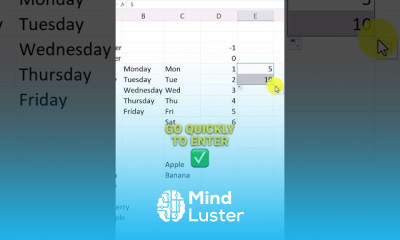
Creating own excel autofill Lists course, in this course you will master the art of creating custom autofill lists in Excel, enabling you to streamline data entry and improve efficiency. We will start by introducing the concept of autofill lists and their benefits. You will learn how to create your own lists from scratch, customize them according to your needs, and manage them effectively. The course covers various techniques for building autofill lists, including how to add, edit, and delete entries. You will also discover how to use these lists to quickly populate cells with repetitive data, saving you time and reducing errors. We will explore practical examples and real-world applications, demonstrating how custom autofill lists can enhance your workflow. By the end of the course, you will have a solid understanding of how to create and utilize custom autofill lists in Excel. You will be equipped with the skills to personalize your Excel experience, making data entry faster and more efficient. Whether you are a beginner or an advanced user, this course will provide valuable insights and techniques to take your Excel skills to the next level.
 To Register in Course you have to watch at least 30 Second of any lesson
 Create custom autofill lists in Excel to streamline repetitive data entry and improve workflow efficiency
Manage and edit existing autofill lists to ensure data accuracy and relevance in Excel spreadsheets
Apply practical techniques to build and utilize autofill lists for various real-world data management tasks
Enhance Excel productivity by personalizing autofill options tailored to specific project or business needs
2 Lessons • 1 m total
You must have an
Account
on the platform.
Complete all lessons.
Watch at least 50% of Lesson Duration.
Get your Certificate free 🎉 !
4.7
(36 reviews)
Overall rating

Be the First One Review This Course
Great

Good
Extra explanation
Very nice
Good
..

Good

Good

Creating own excel autofill Lists course, in this course you will master the art of creating custom autofill lists in Excel, enabling you to streamline data entry and improve efficiency. We will start by introducing the concept of autofill lists and their benefits. You will learn how to create your own lists from scratch, customize them according to your needs, and manage them effectively. The course covers various techniques for building autofill lists, including how to add, edit, and delete entries. You will also discover how to use these lists to quickly populate cells with repetitive data, saving you time and reducing errors. We will explore practical examples and real-world applications, demonstrating how custom autofill lists can enhance your workflow. By the end of the course, you will have a solid understanding of how to create and utilize custom autofill lists in Excel. You will be equipped with the skills to personalize your Excel experience, making data entry faster and more efficient. Whether you are a beginner or an advanced user, this course will provide valuable insights and techniques to take your Excel skills to the next level.
Experience the full power of Mindluster with Premium.
No distractions, just pure education.
Cancel your subscription anytime


















