

Elvis Goodridge
Don't really know
 (172 reviews)
 5 Lessons
 22 Students
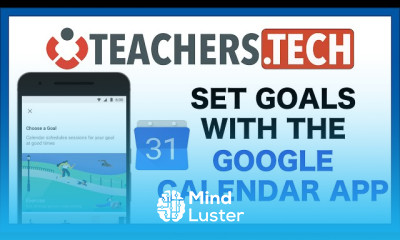
Google Calendar basics course, in this course designed to help you master the foundational skills needed to efficiently manage your time and schedule using Google Calendar. In this course, we will learn about Google Calendar basics, starting with how to create and organize events, set reminders, and customize notifications to stay on top of your appointments and tasks. You’ll explore how to manage multiple calendars, share them with others, and coordinate schedules with your team or family members. The course will also cover setting up recurring events, color-coding your calendar for easy reference, and integrating Google Calendar with other tools like Gmail and Google Meet. Additionally, we’ll delve into tips and tricks for optimizing your calendar to enhance productivity and ensure you never miss an important meeting or deadline. By the end of this course, you’ll have the skills to confidently use Google Calendar to streamline your daily routines, improve your time management, and stay organized in both your personal and professional life.
 To Register in Course you have to watch at least 30 Second of any lesson
 Create, organize, and customize Google Calendar events for efficient scheduling and time management
Manage multiple calendars, share with others, and coordinate schedules for team or family collaboration
Set reminders, notifications, and recurring events to stay on top of appointments and deadlines
Integrate Google Calendar with Gmail, Google Meet, and other tools to enhance productivity and organization
5 Lessons • 1 h 17 m total
You must have an
Account
on the platform.
Complete all lessons.
Watch at least 50% of Lesson Duration.
Get your Certificate free 🎉 !
4.8
(172 reviews)
Overall rating

Be the First One Review This Course
Don't really know

Great simple course, I would have enjoyed some quizzes to test my knowledge though.

Good Course

Good

Google Calendar basics course, in this course designed to help you master the foundational skills needed to efficiently manage your time and schedule using Google Calendar. In this course, we will learn about Google Calendar basics, starting with how to create and organize events, set reminders, and customize notifications to stay on top of your appointments and tasks. You’ll explore how to manage multiple calendars, share them with others, and coordinate schedules with your team or family members. The course will also cover setting up recurring events, color-coding your calendar for easy reference, and integrating Google Calendar with other tools like Gmail and Google Meet. Additionally, we’ll delve into tips and tricks for optimizing your calendar to enhance productivity and ensure you never miss an important meeting or deadline. By the end of this course, you’ll have the skills to confidently use Google Calendar to streamline your daily routines, improve your time management, and stay organized in both your personal and professional life.
Experience the full power of Mindluster with Premium.
No distractions, just pure education.
Cancel your subscription anytime


















