

jesubiyi seteme opemipo
It worth learning
 (21 reviews)
 79 Lessons
 19 Students
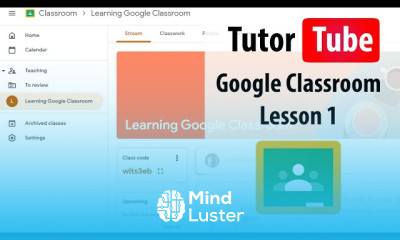
Google classroom account settings course, in this course we will explore the comprehensive settings available for managing and customizing your Google Classroom account. We will start by guiding you through the initial setup of your Google Classroom account, including configuring basic information and preferences. You’ll learn how to navigate through various account settings to adjust notifications, manage user roles, and customize classroom themes. The course will also cover advanced settings, such as integration with other Google tools, security options, and privacy settings to ensure a secure and efficient learning environment. We will provide hands-on examples to help you practice these settings, making sure you can optimize your Google Classroom experience for both educators and students. By the end of this course, you will have a thorough understanding of how to manage and personalize your Google Classroom account, enhancing functionality and improving your overall classroom management. Join us to gain valuable skills in configuring and maintaining your Google Classroom account settings effectively.
 To Register in Course you have to watch at least 30 Second of any lesson
 Master how to set up and customize Google Classroom accounts for optimal teaching and learning experiences
Configure notification preferences to stay informed about class activities and student engagement
Manage user roles effectively to control access, permissions, and collaboration within Google Classroom
Personalize classroom themes and appearance to create engaging and student-friendly learning environments
Integrate Google Classroom with other Google tools like Drive, Calendar, and Meet for seamless workflow
Implement security and privacy settings to protect student data and ensure a safe online learning space
Adjust advanced settings to optimize Google Classroom functionality for diverse educational needs
Troubleshoot common account and setting issues to maintain smooth classroom operations
Apply best practices for managing class information, student submissions, and grading settings
Utilize Google Classroom's integration features to enhance collaboration and communication
Configure account settings to support remote learning and hybrid classroom models
Customize notification and email alerts to improve classroom management and student engagement
Ensure compliance with privacy policies and data security standards in Google Classroom settings
79 Lessons • 3 h 29 m total

 You must have an
Account
on the platform.
Complete all lessons.
Watch at least 50% of Lesson Duration.
Get your Certificate free 🎉 !
4.1
(21 reviews)
Overall rating

Be the First One Review This Course
It worth learning

Excellent Practical Explanation
Intéressant

Google classroom account settings course, in this course we will explore the comprehensive settings available for managing and customizing your Google Classroom account. We will start by guiding you through the initial setup of your Google Classroom account, including configuring basic information and preferences. You’ll learn how to navigate through various account settings to adjust notifications, manage user roles, and customize classroom themes. The course will also cover advanced settings, such as integration with other Google tools, security options, and privacy settings to ensure a secure and efficient learning environment. We will provide hands-on examples to help you practice these settings, making sure you can optimize your Google Classroom experience for both educators and students. By the end of this course, you will have a thorough understanding of how to manage and personalize your Google Classroom account, enhancing functionality and improving your overall classroom management. Join us to gain valuable skills in configuring and maintaining your Google Classroom account settings effectively.
Experience the full power of Mindluster with Premium.
No distractions, just pure education.
Cancel your subscription anytime