×
MindLuster Logo

Designing a company brochure in Photoshop CC

Track :

Graphic Design

Lessons no : 7

For Free Certificate After Complete The Course

To Register in Course you have to watch at least 30 Second of any lesson

Join The Course Go To Community Download Course Content

What will you learn in this course?
  • Create professional company brochures using Photoshop CC with expertise in layout, typography, and branding elements
  • Apply Photoshop tools like layers, grids, and rulers to design organized, print-ready marketing materials and corporate brochures
  • Design visually appealing front and back covers, internal pages, and incorporate logos, slogans, and images effectively
  • Select appropriate color schemes, fonts, and images to align with brand identity and enhance visual communication
  • Balance aesthetics and functionality in brochure design to engage potential clients and communicate company messages clearly
  • Utilize Photoshop techniques to produce polished, compelling brochures suitable for print and digital distribution

How to Get The Certificate

  • You must have an account Register
  • Watch All Lessons
  • Watch at least 50% of Lesson Duration
  • you can follow your course progress From Your Profile
  • You can Register With Any Course For Free
  • The Certificate is free !
Lessons | 7


We Appreciate Your Feedback

Be the First One Review This Course

Excellent
0 Reviews
Good
0 Reviews
medium
0 Reviews
Acceptable
0 Reviews
Not Good
0 Reviews
0
0 Reviews

Our New Certified Courses Will Reach You in Our Telegram Channel
Join Our Telegram Channels to Get Best Free Courses

Join Now

Related Courses

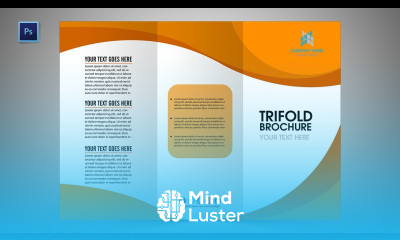
Designing a company brochure in Photoshop course, in this course will teach you how to create professional and visually striking brochures that represent your company's brand and services. We start by exploring the fundamentals of setting up the correct document size and layout structure, ensuring the brochure is print-ready. You will learn about choosing the right color schemes, fonts, and images that align with your corporate identity. Throughout the course, you’ll explore how to use Photoshop’s tools like layers, grids, and rulers to achieve clean and organized designs. We will dive into key aspects like placing text, arranging images, and incorporating branding elements such as logos and slogans. You'll also learn how to design for both the front and back covers, as well as the internal pages, balancing aesthetics with functionality. By the end of this course, you’ll have the skills to create a compelling, polished company brochure that effectively communicates your message and engages potential clients, all while mastering essential Photoshop techniques for brochure design.