

Bibi Sidra
Great
 (2 reviews)
 6 Lessons
 31 Students
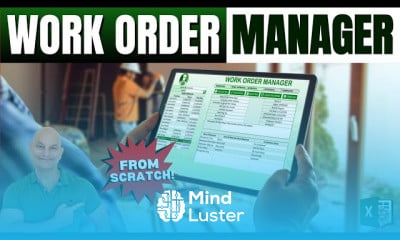
Create excel work order application, in this course teaches you how to design and build a comprehensive work order application using Microsoft Excel. You’ll learn how to create structured work order templates, manage customer details, track service requests, and assign tasks efficiently. The course covers key Excel features such as drop-down lists, data validation, conditional formatting, and custom formulas to automate work order generation and update statuses. You’ll also learn to integrate timelines and deadlines for efficient workflow management. Additionally, we will explore how to create a dashboard for real-time tracking and reporting of work orders. By the end of this course, you'll be able to develop a fully functional work order management system in Excel, allowing you to streamline operations and improve task tracking for any business or service.
 To Register in Course you have to watch at least 30 Second of any lesson
 Design structured work order templates for efficient task management in Excel using drop-down lists and data validation
Implement automated status updates and generate work orders with custom formulas in Excel
Create dashboards for real-time tracking, reporting, and visualizing work order data in Excel
Manage customer details and service requests effectively within an Excel-based work order system
Set timelines, deadlines, and workflow automation to optimize task completion and operational efficiency
Integrate conditional formatting to highlight priority tasks and overdue work orders in Excel
6 Lessons • 10 h 54 m total
 You must have an
Account
on the platform.
Complete all lessons.
Watch at least 50% of Lesson Duration.
Get your Certificate free 🎉 !
5.0
(2 reviews)
Overall rating

Be the First One Review This Course
Great

GREAT

Create excel work order application, in this course teaches you how to design and build a comprehensive work order application using Microsoft Excel. You’ll learn how to create structured work order templates, manage customer details, track service requests, and assign tasks efficiently. The course covers key Excel features such as drop-down lists, data validation, conditional formatting, and custom formulas to automate work order generation and update statuses. You’ll also learn to integrate timelines and deadlines for efficient workflow management. Additionally, we will explore how to create a dashboard for real-time tracking and reporting of work orders. By the end of this course, you'll be able to develop a fully functional work order management system in Excel, allowing you to streamline operations and improve task tracking for any business or service.
Experience the full power of Mindluster with Premium.
No distractions, just pure education.
Cancel your subscription anytime


















