Contact scheduler application in excel Course

 (145 reviews)
-
 15 Lessons
-
 9 Students
- Certificate of completion


Contact scheduler application in excel course, in this course you'll learn to create a powerful tool for managing and scheduling contacts efficiently. This course covers designing a contact management system where you can store, organize, and track communication details with clients, colleagues, or personal contacts. You’ll explore how to build a scheduling system to manage meetings, follow-ups, and reminders seamlessly. The course also delves into automating repetitive tasks with Excel macros and creating custom alerts to stay on top of important appointments. By the end of the course, you'll master interactive dashboards, categorization of contacts, and integration techniques to enhance communication and scheduling, creating a professional-grade Excel application tailored to your needs.
 To Register in Course you have to watch at least 30 Second of any lesson
What You'll Learn
-
 Create a contact management system in Excel for organizing client, colleague, and personal contact details efficiently
-
Design scheduling tools in Excel to manage meetings, follow-ups, and reminders seamlessly
-
Automate repetitive tasks in Excel using macros to improve contact and appointment management workflows
-
Build interactive dashboards in Excel for real-time contact tracking, communication history, and scheduling overview
-
Implement categorization techniques in Excel to organize contacts by priority, type, or status effectively
-
Create custom alerts and notifications in Excel to stay on top of important appointments and deadlines
-
Integrate Excel contact scheduler with other tools for streamlined communication and data sharing
-
Enhance Excel applications with formulas, filters, and conditional formatting for professional contact and schedule management
Course Content
15 Lessons • 23 h 24 m total

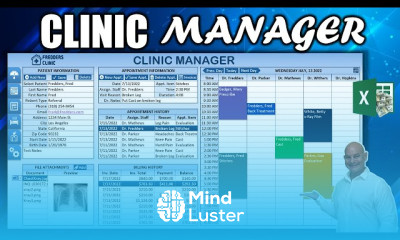
How To Create A Health Clinic Management System With Scheduling Invoicing In Excel FREE DOWNLOAD
How To Create A Contact Scheduler Application In Excel From Scratch Masterclass Download
Create An Excel Delivery Application With Mobile App Sync Scheduler Dashboard FREE DOWNLOAD
How To Create A Work Maintenance Manager With Dashboard Scheduler In Excel Free Download
Learn How To Create The Drag Drop Task Scheduler In Excel While I Build It From Scratch Part 2
Learn How To Create This Never Seen Before Drag Drop Task Scheduler In Excel Today Part 1
Learn How To Create This Yearly Activity Scheduler In Excel FREE Download Inside
Create This Excel Single Click Week View Scheduler Today Employee Manager Part 8
Automate Attendee Responses Sync With Outlook with this Excel Meeting Scheduler Part 3
How To Automatically Send Emails With This Excel Meeting Scheduler Part 2
Learn How To Create this AMAZING Meeting Scheduler in Excel Part 1
How To Create A Dynamic Appointment Scheduler In Excel Part 1
How To Create A Dynamic Timeclock Report in Excel Today Employee Manager Pt 19
How To Create An Employee Attendance Timesheet With Mobile Sync In Excel FREE DOWNLOAD
How To Create A Spa Salon Manager With Drag Drop Scheduling AND 1 Click Invoicing In Excel
How to Get The Certificate
-
You must have an
Account
on the platform.
-
Complete all lessons.
-
Watch at least 50% of Lesson Duration.
-
Get your Certificate free 🎉 !


4.8
(145 reviews)
Overall rating

Reviews
Be the First One Review This Course
Related Courses
View All
















Contact scheduler application in excel Course Description
Contact scheduler application in excel course, in this course you'll learn to create a powerful tool for managing and scheduling contacts efficiently. This course covers designing a contact management system where you can store, organize, and track communication details with clients, colleagues, or personal contacts. You’ll explore how to build a scheduling system to manage meetings, follow-ups, and reminders seamlessly. The course also delves into automating repetitive tasks with Excel macros and creating custom alerts to stay on top of important appointments. By the end of the course, you'll master interactive dashboards, categorization of contacts, and integration techniques to enhance communication and scheduling, creating a professional-grade Excel application tailored to your needs.
Focus on Learning, Not Ads
Experience the full power of Mindluster with Premium.
No distractions, just pure education.
Cancel your subscription anytime
