
 3 Lessons
 18 Students



Hayat EL MECHI
GREAT COURSE THANK YOU MIND LUSTER
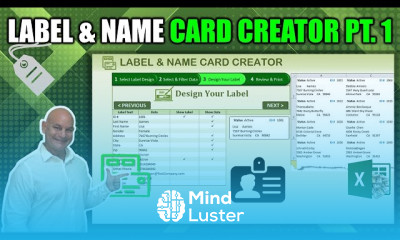
Excel for unlimited Labels course, in this course provides a comprehensive guide to creating unlimited customized labels using Microsoft Excel. Learn how to efficiently use Excel’s features like data tables, conditional formatting, and formulas to design and personalize labels for any purpose, from product labeling to personal name tags. Discover how to integrate Excel with Microsoft Word using Mail Merge to automate the creation of multiple labels effortlessly. The course also covers formatting tips, data organization, and error-proofing techniques to ensure professional-quality labels. Perfect for beginners and professionals, this course empowers you to save time, improve productivity, and deliver flawless labels tailored to your needs.
 To Register in Course you have to watch at least 30 Second of any lesson
 Create customized labels using Excel’s data tables and formatting tools for various purposes including product and personal labels
Apply conditional formatting and formulas to automate label design and ensure data accuracy in label creation
Integrate Excel with Microsoft Word using Mail Merge to generate multiple labels efficiently and with minimal errors
Implement data organization and error-proofing techniques to produce professional-quality, personalized labels at scale
3 Lessons • 2 h 53 m total
You must have an
Account
on the platform.
Complete all lessons.
Watch at least 50% of Lesson Duration.
Get your Certificate free 🎉 !
5.0
 (1 review)
Overall rating

Be the First One Review This Course
GREAT COURSE THANK YOU MIND LUSTER

Good

Good job

Excel for unlimited Labels course, in this course provides a comprehensive guide to creating unlimited customized labels using Microsoft Excel. Learn how to efficiently use Excel’s features like data tables, conditional formatting, and formulas to design and personalize labels for any purpose, from product labeling to personal name tags. Discover how to integrate Excel with Microsoft Word using Mail Merge to automate the creation of multiple labels effortlessly. The course also covers formatting tips, data organization, and error-proofing techniques to ensure professional-quality labels. Perfect for beginners and professionals, this course empowers you to save time, improve productivity, and deliver flawless labels tailored to your needs.
Experience the full power of Mindluster with Premium.
No distractions, just pure education.
Cancel your subscription anytime


















