

Melvir Gay
Excellent topic
 (140 reviews)
 23 Lessons
 25 Students
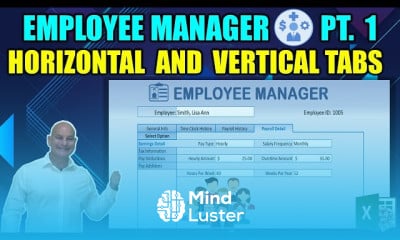
Employee management with tabs in excel, in this course is designed to teach you how to create a powerful employee management system in Excel using horizontal and vertical tabs. Learn to organize employee data such as personal details, attendance, payroll, and performance records into structured, easy-to-navigate sections. The course covers designing interactive tabs, implementing Excel formulas for automated calculations, and using VBA to enhance functionality. Explore how to generate dynamic reports, filter data efficiently, and create a professional interface tailored to your organization’s needs. Ideal for HR professionals and Excel enthusiasts, this course equips you with the skills to build a customized and efficient solution for managing employee information.
 To Register in Course you have to watch at least 30 Second of any lesson
 Create organized employee data sheets with horizontal and vertical tabs in Excel for efficient management
Design interactive Excel tabs to streamline employee information navigation and data entry processes
Implement formulas in Excel to automate payroll calculations, attendance tracking, and performance metrics
Use VBA to enhance Excel employee management systems with custom functionalities and automation
Generate dynamic reports in Excel for employee performance, attendance, and payroll analysis
Filter and sort employee data efficiently using Excel's advanced filtering and sorting features
Create professional, user-friendly interfaces in Excel tailored to HR and employee management needs
Develop a comprehensive employee management system integrating personal details, payroll, and performance data
Apply best practices for structuring large employee datasets across multiple Excel tabs and sheets
Optimize Excel workflows for HR professionals to improve accuracy, speed, and data accessibility
23 Lessons • 29 h 19 m total
 You must have an
Account
on the platform.
Complete all lessons.
Watch at least 50% of Lesson Duration.
Get your Certificate free 🎉 !
4.3
(140 reviews)
Overall rating

Be the First One Review This Course
Excellent topic

Employee management with tabs in excel, in this course is designed to teach you how to create a powerful employee management system in Excel using horizontal and vertical tabs. Learn to organize employee data such as personal details, attendance, payroll, and performance records into structured, easy-to-navigate sections. The course covers designing interactive tabs, implementing Excel formulas for automated calculations, and using VBA to enhance functionality. Explore how to generate dynamic reports, filter data efficiently, and create a professional interface tailored to your organization’s needs. Ideal for HR professionals and Excel enthusiasts, this course equips you with the skills to build a customized and efficient solution for managing employee information.
Experience the full power of Mindluster with Premium.
No distractions, just pure education.
Cancel your subscription anytime


















