

Deelip kumar
I have learned easily through this course.
 (3 reviews)
 3 Lessons
 50 Students
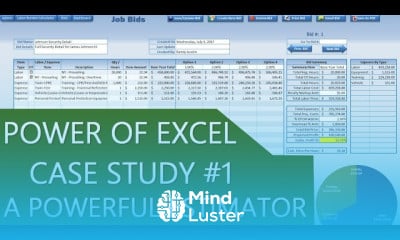
Creating excel accounting application, in this course is designed to teach you how to create a powerful and efficient accounting application entirely within Excel. Learn step-by-step how to design a user-friendly interface, manage financial data, and automate tasks such as income and expense tracking, invoice creation, and tax calculations. The course covers advanced Excel techniques, including formulas, conditional formatting, and data validation, as well as VBA (Visual Basic for Applications) to automate repetitive processes and generate dynamic financial reports. Whether you're a business owner, accountant, or Excel enthusiast, this course will equip you with the skills to build a customized accounting system tailored to your needs, streamlining financial management and improving productivity.
 To Register in Course you have to watch at least 30 Second of any lesson
 Create a customized Excel accounting application for financial data management and reporting
Design user-friendly interfaces using Excel formulas, conditional formatting, and data validation techniques
Automate income, expense tracking, invoice creation, and tax calculations with VBA macros
Generate dynamic financial reports to improve business decision-making and streamline accounting processes
3 Lessons • 33 m total
You must have an
Account
on the platform.
Complete all lessons.
Watch at least 50% of Lesson Duration.
Get your Certificate free 🎉 !
3.7
(3 reviews)
Overall rating

Be the First One Review This Course
I have learned easily through this course.

K
Nice
...

Interesting concept, but does not elaborate on how to create said application.

Good work
good job

Educational One

Creating excel accounting application, in this course is designed to teach you how to create a powerful and efficient accounting application entirely within Excel. Learn step-by-step how to design a user-friendly interface, manage financial data, and automate tasks such as income and expense tracking, invoice creation, and tax calculations. The course covers advanced Excel techniques, including formulas, conditional formatting, and data validation, as well as VBA (Visual Basic for Applications) to automate repetitive processes and generate dynamic financial reports. Whether you're a business owner, accountant, or Excel enthusiast, this course will equip you with the skills to build a customized accounting system tailored to your needs, streamlining financial management and improving productivity.
Experience the full power of Mindluster with Premium.
No distractions, just pure education.
Cancel your subscription anytime


















