


Sajad Ahmad Zargar
Very good platform
 (157 reviews)
 11 Lessons
 16 Students
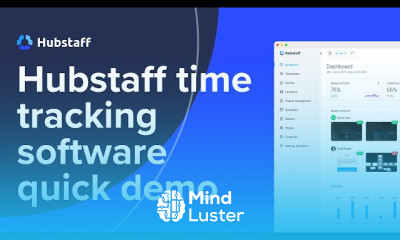
Hubstaff time tracking software, in this course we will learn about the Hubstaff time tracking software and how it helps businesses and remote teams track work hours, monitor productivity, and streamline payroll processing. Hubstaff provides automated time tracking, activity monitoring, GPS tracking, and detailed reporting to ensure accurate work records. We will explore how to set up time tracking, manage employee work hours, generate reports, and integrate Hubstaff with project management tools like Trello and Asana. You’ll also learn how to use screenshot capture, productivity insights, and payroll automation to optimize workflow. Whether you’re a freelancer, manager, or business owner, this course will equip you with the skills to maximize efficiency, reduce time theft, and improve team accountability using Hubstaff’s powerful tracking features. By the end, you'll confidently use Hubstaff to monitor, manage, and enhance workplace productivity. Hubstaff
 To Register in Course you have to watch at least 30 Second of any lesson
 Master how to set up and configure Hubstaff for accurate time tracking and employee management
Utilize activity monitoring and screenshot capture features to enhance productivity and accountability
Implement GPS tracking to monitor remote and mobile workforce locations effectively
Generate and interpret detailed reports to analyze work hours, productivity, and project progress
Integrate Hubstaff seamlessly with project management tools like Trello and Asana for streamlined workflows
Automate payroll processing and manage employee work hours to ensure timely and accurate payments
Use productivity insights to identify bottlenecks and optimize team performance
Reduce time theft and improve workplace transparency through effective use of Hubstaff tracking features
11 Lessons • 31 m total
 You must have an
Account
on the platform.
Complete all lessons.
Watch at least 50% of Lesson Duration.
Get your Certificate free 🎉 !
4.2
(157 reviews)
Overall rating

Be the First One Review This Course
Very good platform
It was a good one

Awesome course

Hubstaff time tracking software, in this course we will learn about the Hubstaff time tracking software and how it helps businesses and remote teams track work hours, monitor productivity, and streamline payroll processing. Hubstaff provides automated time tracking, activity monitoring, GPS tracking, and detailed reporting to ensure accurate work records. We will explore how to set up time tracking, manage employee work hours, generate reports, and integrate Hubstaff with project management tools like Trello and Asana. You’ll also learn how to use screenshot capture, productivity insights, and payroll automation to optimize workflow. Whether you’re a freelancer, manager, or business owner, this course will equip you with the skills to maximize efficiency, reduce time theft, and improve team accountability using Hubstaff’s powerful tracking features. By the end, you'll confidently use Hubstaff to monitor, manage, and enhance workplace productivity. Hubstaff
Experience the full power of Mindluster with Premium.
No distractions, just pure education.
Cancel your subscription anytime


















