


Pedro Dinis Varela Pinto
loved
 (4 reviews)
 14 Lessons
 64 Students
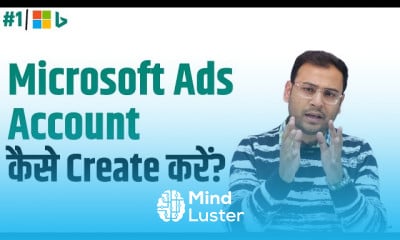
Create microsoft ads account, in this course we will learn how to create a Microsoft Ads account and set it up for effective advertising. We’ll guide you through the account creation process, starting with signing up and configuring your settings. You’ll learn how to set your campaign goals, target your audience, and choose the right ad formats (text ads, shopping ads, etc.). We will cover how to define your budget, bid strategy, and ad scheduling to get the best results. You’ll also learn about keyword research, creating ad groups, writing effective ad copy, and tracking performance using Microsoft Ads tools. By the end of the course, you’ll be able to launch and manage your first campaign confidently, ensuring that your ads reach the right customers and deliver high ROI. Whether you’re a beginner or looking to improve your skills, this course will provide all the practical knowledge you need to start using Microsoft Ads effectively. Umar Tazkeer
 To Register in Course you have to watch at least 30 Second of any lesson
 Set up a Microsoft Ads account with accurate billing and account information for seamless advertising.
Configure campaign goals, target audience, and ad formats to maximize ad relevance and engagement.
Perform keyword research to identify high-performing keywords for effective ad targeting and optimization.
Create compelling ad copy and organize ad groups to improve click-through rates and ad performance.
Set budgets, bid strategies, and scheduling to optimize ad spend and maximize ROI.
Utilize Microsoft Ads tools to track campaign performance, analyze metrics, and refine strategies.
Implement audience targeting and ad extensions to enhance ad visibility and reach specific customer segments.
Launch and manage Microsoft Ads campaigns confidently, ensuring effective advertising and measurable results.
14 Lessons • 2 h 35 m total
 You must have an
Account
on the platform.
Complete all lessons.
Watch at least 50% of Lesson Duration.
Get your Certificate free 🎉 !
3.8
(4 reviews)
Overall rating

Be the First One Review This Course
loved

Good course

VERY COOL
Good Course

Very good

Create microsoft ads account, in this course we will learn how to create a Microsoft Ads account and set it up for effective advertising. We’ll guide you through the account creation process, starting with signing up and configuring your settings. You’ll learn how to set your campaign goals, target your audience, and choose the right ad formats (text ads, shopping ads, etc.). We will cover how to define your budget, bid strategy, and ad scheduling to get the best results. You’ll also learn about keyword research, creating ad groups, writing effective ad copy, and tracking performance using Microsoft Ads tools. By the end of the course, you’ll be able to launch and manage your first campaign confidently, ensuring that your ads reach the right customers and deliver high ROI. Whether you’re a beginner or looking to improve your skills, this course will provide all the practical knowledge you need to start using Microsoft Ads effectively. Umar Tazkeer
Experience the full power of Mindluster with Premium.
No distractions, just pure education.
Cancel your subscription anytime