

Nityananda Sardar
Nice
 (175 reviews)
 8 Lessons
 35 Students
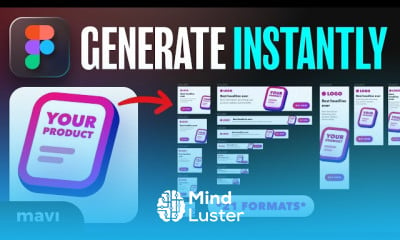
Figma for marketing, in this course we will learn how to use Figma to create high-impact marketing materials that boost engagement and drive results. You’ll explore how to design social media graphics, email banners, landing pages, ad creatives, and branded templates all within Figma’s powerful and collaborative design environment. The course covers essential tools like auto layout, components, and styles to help you build reusable assets and maintain visual consistency across campaigns. You'll also learn how to collaborate with teams, share design previews, and export assets in the correct formats for various platforms. Whether you're a marketer looking to improve your design skills or a designer working closely with marketing teams, this course provides the practical knowledge needed to design fast, smart, and on-brand. By the end, you’ll be able to confidently create and manage marketing visuals that communicate clearly and convert effectively using Figma. Mavi Design
 To Register in Course you have to watch at least 30 Second of any lesson
 Create engaging social media graphics optimized for various platforms using Figma tools and templates
Design compelling email banners and landing pages that enhance user experience and increase conversions
Develop reusable components and styles in Figma to ensure brand consistency across marketing campaigns
Collaborate effectively with marketing teams by sharing design previews and gathering feedback within Figma
Export marketing assets in appropriate formats for digital advertising, email, and social media platforms
Utilize Figma’s auto layout and component features to streamline the creation of high-impact marketing materials
8 Lessons • 2 h 38 m total
 You must have an
Account
on the platform.
Complete all lessons.
Watch at least 50% of Lesson Duration.
Get your Certificate free 🎉 !
4.2
(175 reviews)
Overall rating

Be the First One Review This Course
Nice

Figma for marketing, in this course we will learn how to use Figma to create high-impact marketing materials that boost engagement and drive results. You’ll explore how to design social media graphics, email banners, landing pages, ad creatives, and branded templates all within Figma’s powerful and collaborative design environment. The course covers essential tools like auto layout, components, and styles to help you build reusable assets and maintain visual consistency across campaigns. You'll also learn how to collaborate with teams, share design previews, and export assets in the correct formats for various platforms. Whether you're a marketer looking to improve your design skills or a designer working closely with marketing teams, this course provides the practical knowledge needed to design fast, smart, and on-brand. By the end, you’ll be able to confidently create and manage marketing visuals that communicate clearly and convert effectively using Figma. Mavi Design
Experience the full power of Mindluster with Premium.
No distractions, just pure education.
Cancel your subscription anytime