








Noor Fatima ch
Good
 (50 reviews)
 23 Lessons
 463 Students
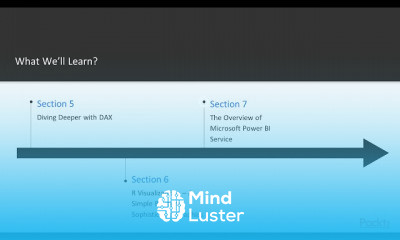
Power BI, in this course is designed to teach you how to transform raw data into insightful, interactive dashboards and reports. You’ll start by learning the basics of Power BI, including connecting to various data sources, cleaning and transforming data using Power Query, and creating relationships between datasets. The course will guide you through building visuals, customizing charts, and applying filters to highlight key insights. You’ll also explore DAX (Data Analysis Expressions) to create calculated columns, measures, and advanced analytics. Best practices for designing clear and engaging dashboards, implementing row-level security, and optimizing report performance are covered in detail. You’ll gain experience in sharing reports, publishing to the Power BI Service, and collaborating in workspaces. By the end, you’ll be able to build professional, data-driven solutions that enhance decision-making and bring clarity to complex datasets. Pavan Lalwani
 To Register in Course you have to watch at least 30 Second of any lesson
 Create interactive dashboards by connecting Power BI to diverse data sources and transforming raw data effectively
Develop data models with relationships, calculated columns, and measures using Power Query and DAX for advanced analytics
Design visually compelling reports with customized charts, filters, and slicers to highlight key business insights
Implement row-level security to control data access and ensure data privacy in Power BI reports
Optimize report performance through best practices in data modeling, DAX formulas, and visualization techniques
Publish and share Power BI reports securely within workspaces, enabling collaboration and data-driven decision-making
Apply data cleaning and transformation techniques to prepare datasets for accurate analysis and reporting
Utilize Power BI Service features to schedule data refreshes, manage datasets, and distribute reports efficiently
Create dynamic, user-friendly dashboards that facilitate real-time data monitoring and strategic planning
Leverage Power BI best practices to design clear, engaging, and actionable data visualizations for diverse audiences
23 Lessons • 1 h 52 m total
 You must have an
Account
on the platform.
Complete all lessons.
Watch at least 50% of Lesson Duration.
Get your Certificate free 🎉 !
4.3
(50 reviews)
Overall rating

Be the First One Review This Course
Good

Excellent course
good
Nice

Was interested in learning this and learned too

the course was completely worthit
Very Nice Cource
good
Nice
Good

best
it is very good course and it is very helpful

Power BI, in this course is designed to teach you how to transform raw data into insightful, interactive dashboards and reports. You’ll start by learning the basics of Power BI, including connecting to various data sources, cleaning and transforming data using Power Query, and creating relationships between datasets. The course will guide you through building visuals, customizing charts, and applying filters to highlight key insights. You’ll also explore DAX (Data Analysis Expressions) to create calculated columns, measures, and advanced analytics. Best practices for designing clear and engaging dashboards, implementing row-level security, and optimizing report performance are covered in detail. You’ll gain experience in sharing reports, publishing to the Power BI Service, and collaborating in workspaces. By the end, you’ll be able to build professional, data-driven solutions that enhance decision-making and bring clarity to complex datasets. Pavan Lalwani
Experience the full power of Mindluster with Premium.
No distractions, just pure education.
Cancel your subscription anytime















