







Khushbakht Amir
It was a good learning experince.
 (83 reviews)
 9 Lessons
 28 Students
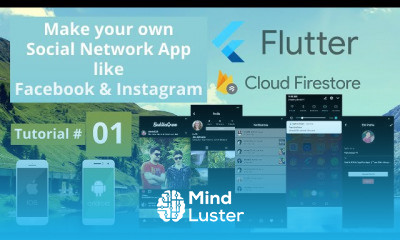
Flutter firebase, in this course teaches you how to build powerful, real-time mobile applications by integrating Google’s Flutter framework with Firebase backend services. You’ll learn how to connect your Flutter app to Firebase, set up authentication using email, Google, or phone login, and manage user sessions securely. The course covers Firestore database for storing and syncing data, Firebase Storage for managing images and files, and Cloud Messaging for push notifications. You’ll also explore Firebase Analytics, Crashlytics, and Remote Config to monitor and improve your app’s performance. Through hands-on projects, you’ll build fully functional apps that demonstrate real-world Firebase integration. By the end, you’ll have the skills to develop scalable, responsive, and cloud-connected apps using Flutter and Firebase efficiently. ProgrammingKnowledge
 To Register in Course you have to watch at least 30 Second of any lesson
 Implement real-time data synchronization using Firestore in Flutter applications effectively
Integrate Firebase Authentication with email, Google, and phone login for secure user management
Utilize Firebase Storage to upload, retrieve, and manage images and files within Flutter apps
Configure and deploy Firebase Cloud Messaging for targeted push notifications and user engagement
9 Lessons • 3 h 45 m total
 You must have an
Account
on the platform.
Complete all lessons.
Watch at least 50% of Lesson Duration.
Get your Certificate free 🎉 !
4.0
(83 reviews)
Overall rating

Be the First One Review This Course
It was a good learning experince.

Flutter firebase, in this course teaches you how to build powerful, real-time mobile applications by integrating Google’s Flutter framework with Firebase backend services. You’ll learn how to connect your Flutter app to Firebase, set up authentication using email, Google, or phone login, and manage user sessions securely. The course covers Firestore database for storing and syncing data, Firebase Storage for managing images and files, and Cloud Messaging for push notifications. You’ll also explore Firebase Analytics, Crashlytics, and Remote Config to monitor and improve your app’s performance. Through hands-on projects, you’ll build fully functional apps that demonstrate real-world Firebase integration. By the end, you’ll have the skills to develop scalable, responsive, and cloud-connected apps using Flutter and Firebase efficiently. ProgrammingKnowledge
Experience the full power of Mindluster with Premium.
No distractions, just pure education.
Cancel your subscription anytime
















