×
MindLuster Logo

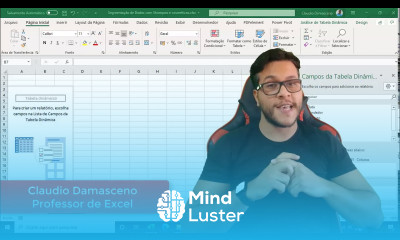
Microsoft excel 365

Track :

Computer Softwares

Course Presenter :

Professor Claudio Damasceno

Lessons no : 14

For Free Certificate After Complete The Course

To Register in Course you have to watch at least 30 Second of any lesson

Join The Course Go To Community Download Course Content
What will you learn in this course?
  • Master advanced formulas and functions to automate calculations and data analysis in Excel 365
  • Create dynamic pivot tables and interactive charts for insightful data visualization
  • Utilize Excel 365 cloud features for real-time collaboration and secure data storage
  • Design professional, well-formatted spreadsheets to enhance data presentation and readability
  • Implement data validation and conditional formatting to improve data accuracy and insights
  • Automate repetitive tasks using macros and VBA within Excel 365 environment
  • Analyze large datasets efficiently with filtering, sorting, and data management tools
  • Apply best practices for organizing and managing data to optimize workflow and productivity

How to Get The Certificate

  • You must have an account Register
  • Watch All Lessons
  • Watch at least 50% of Lesson Duration
  • you can follow your course progress From Your Profile
  • You can Register With Any Course For Free
  • The Certificate is free !
Lessons | 14

Recommended Courses


We Appreciate Your Feedback

Excellent
0 Reviews
Good
1 Reviews
medium
0 Reviews
Acceptable
0 Reviews
Not Good
0 Reviews
4
1 Reviews

Aliya

Good
2025-11-30

S Purushothaman Raja

I cant enter my gmail is not accepted mindluster. Com
2025-10-14

Show More Reviews

Our New Certified Courses Will Reach You in Our Telegram Channel
Join Our Telegram Channels to Get Best Free Courses


Join Now

Related Courses

Microsoft excel 365, neste curso foi desenvolvido para ajudar você a dominar uma das ferramentas mais importantes do mundo corporativo. Nele, você aprenderá desde os conceitos básicos, como inserir e formatar dados, até recursos mais avançados, como fórmulas, funções, tabelas dinâmicas e gráficos interativos. O curso aborda também o uso do Excel 365 em nuvem, permitindo colaboração em tempo real e armazenamento seguro no OneDrive. Cada módulo traz exemplos práticos e exercícios que facilitam o aprendizado passo a passo. Ao final, você será capaz de criar planilhas profissionais, automatizar cálculos e organizar informações de maneira eficiente. Ideal para estudantes, profissionais e qualquer pessoa que queira aprimorar suas habilidades no Excel. Professor Claudio Damasceno