×
MindLuster Logo

Microsoft excel básico

Track :

Computer Softwares

Course Presenter :

Professor Claudio Damasceno

Lessons no : 6

For Free Certificate After Complete The Course

To Register in Course you have to watch at least 30 Second of any lesson

Join The Course Go To Community Download Course Content

What will you learn in this course?
  • Create and navigate Excel spreadsheets using user-friendly interface and essential tools
  • Insert, format, and organize data effectively in Excel worksheets for personal and professional use
  • Apply basic formulas and functions like SUM, AVERAGE, and IF to automate calculations and data analysis
  • Design and customize tables, apply filters, and sort data to enhance data management skills
  • Generate simple charts and graphs to visualize data trends and support decision-making processes
  • Develop efficient, organized spreadsheets to automate tasks and improve productivity in daily activities

How to Get The Certificate

  • You must have an account Register
  • Watch All Lessons
  • Watch at least 50% of Lesson Duration
  • you can follow your course progress From Your Profile
  • You can Register With Any Course For Free
  • The Certificate is free !
Lessons | 6

Recommended Courses


We Appreciate Your Feedback

Be the First One Review This Course

Excellent
0 Reviews
Good
0 Reviews
medium
0 Reviews
Acceptable
0 Reviews
Not Good
0 Reviews
0
0 Reviews

Rahul

Very good
2025-11-23

Dipali Dnyandev Sagade

Very amazing course
2025-11-03

Our New Certified Courses Will Reach You in Our Telegram Channel
Join Our Telegram Channels to Get Best Free Courses

Join Now

Related Courses

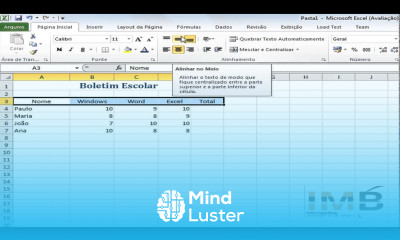
Microsoft excel básico, neste curso foi desenvolvido para quem deseja aprender a utilizar o Excel desde o início, mesmo sem experiência prévia. Nele, você aprenderá a navegar pela interface do programa, inserir e formatar dados, usar fórmulas e funções essenciais, como SOMA, MÉDIA e SE, e criar planilhas organizadas e funcionais. O curso também aborda a criação de tabelas, aplicação de filtros e classificação de informações, além de ensinar como gerar gráficos simples para visualizar resultados de forma clara. Tudo é ensinado de maneira prática e passo a passo, com exemplos aplicáveis ao cotidiano pessoal e profissional. Ao final, o aluno estará apto a montar planilhas eficientes, automatizar cálculos e otimizar tarefas, adquirindo uma base sólida para evoluir no uso do Excel. Professor Claudio Damasceno