×
MindLuster Logo

Teclas de Atalho e Produtividade no excel

Track :

Computer Softwares

Course Presenter :

Professor Claudio Damasceno

Lessons no : 6

For Free Certificate After Complete The Course

To Register in Course you have to watch at least 30 Second of any lesson

Join The Course Go To Community Download Course Content

What will you learn in this course?
  • Master keyboard shortcuts for efficient navigation and cell selection in Excel for increased productivity
  • Apply formatting shortcuts to quickly enhance spreadsheet appearance and readability in Excel
  • Utilize formula and data management shortcuts to streamline data analysis and reduce manual effort
  • Customize the Excel ribbon and quick access toolbar to optimize workflow and task execution
  • Create and implement automatic templates and models to accelerate repetitive tasks in Excel
  • Adopt best practices for workflow optimization and time-saving techniques in Excel productivity

How to Get The Certificate

  • You must have an account Register
  • Watch All Lessons
  • Watch at least 50% of Lesson Duration
  • you can follow your course progress From Your Profile
  • You can Register With Any Course For Free
  • The Certificate is free !
Lessons | 6


We Appreciate Your Feedback

Be the First One Review This Course

Excellent
0 Reviews
Good
0 Reviews
medium
0 Reviews
Acceptable
0 Reviews
Not Good
0 Reviews
0
0 Reviews

Aditya jadhav

Nice
2025-11-21

Shejin vijayan

good
2025-10-24

Arman Abbasi

Great
2025-10-24

Said Ouaddi

NICE COURS
2025-10-14

Our New Certified Courses Will Reach You in Our Telegram Channel
Join Our Telegram Channels to Get Best Free Courses

Join Now

Related Courses

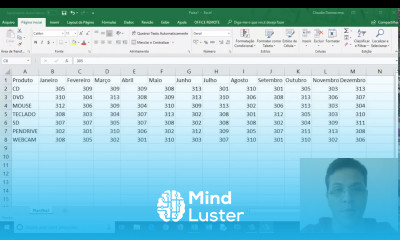
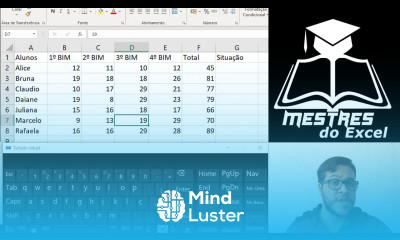
Teclas de Atalho e Produtividade no excel, neste curso foi desenvolvido para quem deseja aumentar a eficiência e velocidade ao trabalhar com planilhas. Nele, você aprenderá os principais atalhos de teclado do Microsoft Excel, dominando comandos para navegação rápida, seleção de células, formatação, uso de fórmulas e gerenciamento de dados. O curso mostra como reduzir o uso do mouse e realizar tarefas complexas em poucos segundos, economizando tempo no dia a dia. Além dos atalhos, você descobrirá técnicas de produtividade, como personalização da faixa de opções, criação de modelos automáticos e boas práticas para otimizar o fluxo de trabalho. Ideal para profissionais que buscam dominar o Excel de forma prática, ganhando agilidade e eficiência em suas rotinas de escritório e análise de dados. Professor Claudio Damasceno