×
MindLuster Logo

Excel avançado

Track :

Computer Softwares

Course Presenter :

Professor Claudio Damasceno

Lessons no : 23

For Free Certificate After Complete The Course

To Register in Course you have to watch at least 30 Second of any lesson

Join The Course Go To Community Download Course Content
What will you learn in this course?
  • Create complex formulas using PROCV, ÍNDICE, CORRESP, SOMASES, and logical functions for data analysis
  • Design dynamic tables and interactive charts to visualize large datasets effectively
  • Build dashboards and utilize data analysis tools for strategic decision-making in Excel
  • Automate repetitive tasks with macros and introduce VBA to streamline workflows
  • Develop professional reports and summaries from extensive data collections
  • Apply advanced Excel functions to improve data accuracy and operational efficiency
  • Utilize pivot tables and slicers to analyze and filter data dynamically
  • Implement data validation and conditional formatting to enhance data integrity and presentation
  • Optimize data management processes through automation and advanced spreadsheet techniques
  • Enhance productivity and precision in Excel for corporate and business environments

How to Get The Certificate

  • You must have an account Register
  • Watch All Lessons
  • Watch at least 50% of Lesson Duration
  • you can follow your course progress From Your Profile
  • You can Register With Any Course For Free
  • The Certificate is free !
Lessons | 23

Recommended Courses


We Appreciate Your Feedback

Be the First One Review This Course

Excellent
0 Reviews
Good
0 Reviews
medium
0 Reviews
Acceptable
0 Reviews
Not Good
0 Reviews
0
0 Reviews

Our New Certified Courses Will Reach You in Our Telegram Channel
Join Our Telegram Channels to Get Best Free Courses


Join Now

Related Courses

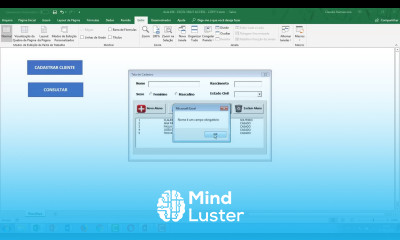
Excel avançado , neste curso é voltado para quem já possui conhecimento intermediário e deseja dominar os recursos mais poderosos do Microsoft Excel. Durante o curso, o aluno aprende a aplicar fórmulas complexas e funções avançadas, como PROCV, ÍNDICE, CORRESP, SOMASES e funções lógicas combinadas. Também explora a criação de tabelas e gráficos dinâmicos, dashboards interativos, e o uso de ferramentas de análise de dados para tomadas de decisão estratégicas. O curso aborda ainda macros e introdução ao VBA, permitindo automatizar tarefas e otimizar o trabalho. Com aulas práticas e exemplos reais, o participante desenvolve autonomia para criar relatórios profissionais, analisar grandes volumes de dados e aplicar técnicas que aumentam produtividade e precisão. Ideal para quem busca excelência no uso do Excel em ambientes corporativos. Professor Claudio Damasceno