Handbrake Course

 (165 reviews)
TutorTube
-
 44 Lessons
-
 25 Students
- Certificate of completion


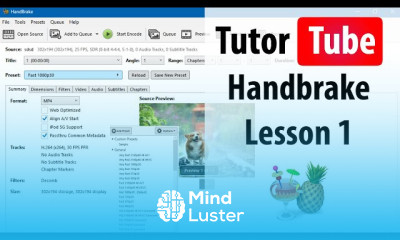
Handbrake, This comprehensive course guides you through using HandBrake, a powerful open-source video transcoder designed to convert, compress, and optimize video files efficiently. You will learn how to navigate the interface, choose the right presets, and convert videos into formats like MP4 and MKV. The course covers adjusting resolution, bitrate, and codecs to balance quality and file size, as well as adding subtitles, managing audio tracks, and cropping or trimming footage. You will also explore advanced features such as batch processing, filters, and preparing videos for YouTube, mobile devices, and social media platforms. By the end of the course, you’ll master essential HandBrake workflows and confidently create high-quality, lightweight video files suitable for any purpose. TutorTube
 To Register in Course you have to watch at least 30 Second of any lesson
What You'll Learn
-
 Master video transcoding using HandBrake for optimal quality and file size reduction
-
Apply HandBrake presets and customize settings for various devices and platforms effectively
-
Implement batch processing and advanced filters to streamline video conversion workflows
-
Prepare videos for YouTube, social media, and mobile devices with professional quality
Course Content
44 Lessons • 1 h 51 m total

Handbrake Lesson 1 Touring the HandBrake Interface
Handbrake Lesson 2 Opening and Loading Source Files
Handbrake Lesson 3 Converting a Video to MP4 WebM or MKV
Handbrake Lesson 4 Choosing a Preset for Fast Conversion
Handbrake Lesson 5 Creating Custom Presets
Handbrake Lesson 6 Changing Output File Location and Name and Extension
Handbrake Lesson 7 Adjusting Video Resolution and Scaling
Handbrake Lesson 8 Cropping Video Manually
Handbrake Lesson 9 Changing Orientation Automatic Cropping and Flipping Video
Handbrake Lesson 10 Adding Borders
Handbrake Lesson 11 Understanding and Adjusting Aspect Ratios
Handbrake Lesson 12 Changing Video Codec
Handbrake Lesson 13 Adjusting Constant Quality and Average Bitrate
Handbrake Lesson 14 Frame Rate FPS Settings
Handbrake Lesson 15 Deinterlacing Videos
Handbrake Lesson 16 Denoise and Sharpening Filters
Handbrake Lesson 17 Previewing Video Before Encoding
Handbrake Lesson 18 Changing Audio Codec AAC AC3 MP3 etc
Handbrake Lesson 19 Adjusting Bitrate for Audio
Handbrake Lesson 20 Downmixing Audio Channels
Handbrake Lesson 21 Adding Subtitles to a Video
Handbrake Lesson 22 Burning In Subtitles
Handbrake Lesson 23 Compressing Large Videos for Upload or Email
Handbrake Lesson 24 Converting Multiple Files with Queue
Handbrake Lesson 25 Using the Add to Queue for Individual Videos
Handbrake Lesson 26 GPU Encoding
Handbrake Lesson 27 Creating Custom Presets for Batch Jobs
Handbrake Lesson 28 Setting Default Preferences and Preset on Launch
Handbrake Lesson 29 Exporting HandBrake Presets
Handbrake Lesson 30 Importing HandBrake Presets
Handbrake Lesson 31 Understanding Logs
Handbrake Lesson 32 Optimizing for Vimeo Instagram and Other Platforms
Handbrake Lesson 34 Encoding Video Without Audio Silent Video
Handbrake Lesson 33 Cutting Start or End of Video with Range Settings
Handbrake Lesson 35 Using HandBrake in Dark Mode or Light Mode
Handbrake Lesson 36 Checking For Updates
Handbrake Lesson 37 Language Settings
Handbrake Lesson 38 Application Toolbar Settings
Handbrake Lesson 39 Setting Path to Media Player
Handbrake Lesson 40 Automatic File Naming and Interface Behavior

How to Get The Certificate
-
You must have an
Account
on the platform.
-
Complete all lessons.
-
Watch at least 50% of Lesson Duration.
-
Get your Certificate free 🎉 !
4.1
(165 reviews)
Overall rating

Reviews
Be the First One Review This Course
Related Courses
View All


















Handbrake Course Description
Handbrake, This comprehensive course guides you through using HandBrake, a powerful open-source video transcoder designed to convert, compress, and optimize video files efficiently. You will learn how to navigate the interface, choose the right presets, and convert videos into formats like MP4 and MKV. The course covers adjusting resolution, bitrate, and codecs to balance quality and file size, as well as adding subtitles, managing audio tracks, and cropping or trimming footage. You will also explore advanced features such as batch processing, filters, and preparing videos for YouTube, mobile devices, and social media platforms. By the end of the course, you’ll master essential HandBrake workflows and confidently create high-quality, lightweight video files suitable for any purpose. TutorTube
Focus on Learning, Not Ads
Experience the full power of Mindluster with Premium.
No distractions, just pure education.
Cancel your subscription anytime
