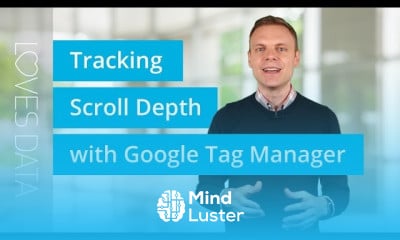
Google tag manager button click tracking Course

 (186 reviews)
Loves Data
-
 18 Lessons
-
 11 Students
- Certificate of completion


Google tag manager button click tracking course, Google Tag Manager Button Click Tracking Course is a practical beginner-friendly program designed to help students learn how to track user interactions with buttons on websites using Google Tag Manager. In this course, students will understand how click tracking works, why it is important for digital marketing and conversion optimization, and how to measure user actions without modifying website code. The course is explained in a simple and practical way suitable for beginners, marketers, website owners, and analysts. After completing the course, students will learn: How to set up Google Tag Manager correctly. How to create button click tracking tags. How to configure triggers to track button clicks. How to test tracking using preview and debug tools. How to send click data to analytics platforms for reporting. This course is completely free, and students will receive a free accredited certificate after successfully completing the course. Loves Data
 To Register in Course you have to watch at least 30 Second of any lesson
What You'll Learn
-
 Implement Google Tag Manager setup for accurate website button click tracking using tags and triggers
-
Configure and customize button click tracking tags to monitor user interactions effectively
-
Utilize preview and debug tools to test and validate button click tracking accuracy in real-time
-
Integrate click data with analytics platforms like Google Analytics for comprehensive reporting and insights
Course Content
18 Lessons • 2 h 14 m total

Scroll Depth Tracking with Google Tag Manager – How to Get Started Quickly
Back to Basics Benefits of Using Google Tag Manager
Tutorial Cross Domain Tracking with Google Tag Manager
Tutorial Tracking YouTube Videos with Google Tag Manager and Google Analytics
Tutorial Google Analytics Site Search Without Query Parameters
Tutorial Using Triggers in Google Tag Manager
Tutorial Event Tracking with Google Tag Manager
Pause Tags in Google Tag Manager – Here s Your Quick Tutorial
Element Visibility Trigger in Google Tag Manager – How to Track Website Elements
Testing Tags in Google Tag Manager – 3 Tips to Apply Now
Google Tag Manager Quick Start
Google Tag Manager Tutorial 2020 Getting Started
Facebook Retargeting with Google Tag Manager 2020 Tutorial
Google Tag Manager Button Click Tracking 2020 Tutorial
Google Tag Manager Button Click Tracking 2020 Tutorial
Google Tag Manager Button Click Tracking 2020 Tutorial
Google Tag Manager GTM Server Side Tracking
Preview Mode in Google Tag Manager How to debug your tags using the GTM preview mode
How to Get The Certificate
-
You must have an
Account
on the platform.
-
Complete all lessons.
-
Watch at least 50% of Lesson Duration.
-
Get your Certificate free 🎉 !
4.4
(186 reviews)
Overall rating

Reviews
Be the First One Review This Course
Related Courses
View All














Google tag manager button click tracking Course Description
Google tag manager button click tracking course, Google Tag Manager Button Click Tracking Course is a practical beginner-friendly program designed to help students learn how to track user interactions with buttons on websites using Google Tag Manager. In this course, students will understand how click tracking works, why it is important for digital marketing and conversion optimization, and how to measure user actions without modifying website code. The course is explained in a simple and practical way suitable for beginners, marketers, website owners, and analysts. After completing the course, students will learn: How to set up Google Tag Manager correctly. How to create button click tracking tags. How to configure triggers to track button clicks. How to test tracking using preview and debug tools. How to send click data to analytics platforms for reporting. This course is completely free, and students will receive a free accredited certificate after successfully completing the course. Loves Data
Focus on Learning, Not Ads
Experience the full power of Mindluster with Premium.
No distractions, just pure education.
Cancel your subscription anytime
