

Somya Ranjan Jena
Nice Explaination
 (99 reviews)
 8 Lessons
 9 Students
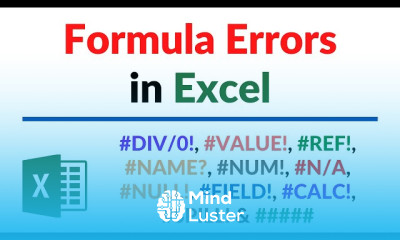
Improve your professional skills and advance your career with our comprehensive online training course on "Formula Errors in Excel and Troubleshooting." Designed for individuals seeking to master essential computer softwares, this course provides practical knowledge and hands-on experience in identifying and resolving common Excel formula errors. Whether you are a beginner or looking to enhance your troubleshooting skills, this certified course offers valuable insights to boost your productivity and efficiency in data management. Throughout this training course, you will learn how to: - Recognize different types of Excel formula errors and understand their causes - Apply effective troubleshooting techniques to resolve formula issues quickly - Use built-in Excel functions to prevent errors and improve data accuracy - Develop best practices for writing and auditing complex Excel formulas - Enhance your problem-solving skills specific to computer softwares used in professional environments This course is ideal for professionals, students, and anyone working with Excel in the Middle East, Saudi Arabia, UAE, or globally who want to improve their technical skills. It is particularly beneficial for data analysts, administrative staff, financial professionals, and business managers who rely heavily on Excel for daily tasks. Choosing this course on our platform ensures access to expert-led training, high-quality content, and flexible learning schedules. Our certified course is designed to help you gain practical skills that are immediately applicable in your workplace, opening doors to new career opportunities and professional development. Upon completion, participants will receive an official Certificate of Achievement, validating their expertise in troubleshooting Excel formulas and enhancing their computer software skills. Enroll today to unlock new career growth prospects and become a proficient user of essential computer softwares. Ajay Anand
 To Register in Course you have to watch at least 30 Second of any lesson
 Identify and categorize common Excel formula errors to diagnose issues effectively
Apply troubleshooting techniques to resolve complex Excel formula errors efficiently
Utilize built-in Excel functions to prevent errors and enhance data accuracy in spreadsheets
Develop best practices for writing, auditing, and debugging advanced Excel formulas
8 Lessons • 31 m total
You must have an
Account
on the platform.
Complete all lessons.
Watch at least 50% of Lesson Duration.
Get your Certificate free 🎉 !
4.7
(99 reviews)
Overall rating

Be the First One Review This Course
Nice Explaination

Improve your professional skills and advance your career with our comprehensive online training course on "Formula Errors in Excel and Troubleshooting." Designed for individuals seeking to master essential computer softwares, this course provides practical knowledge and hands-on experience in identifying and resolving common Excel formula errors. Whether you are a beginner or looking to enhance your troubleshooting skills, this certified course offers valuable insights to boost your productivity and efficiency in data management. Throughout this training course, you will learn how to: - Recognize different types of Excel formula errors and understand their causes - Apply effective troubleshooting techniques to resolve formula issues quickly - Use built-in Excel functions to prevent errors and improve data accuracy - Develop best practices for writing and auditing complex Excel formulas - Enhance your problem-solving skills specific to computer softwares used in professional environments This course is ideal for professionals, students, and anyone working with Excel in the Middle East, Saudi Arabia, UAE, or globally who want to improve their technical skills. It is particularly beneficial for data analysts, administrative staff, financial professionals, and business managers who rely heavily on Excel for daily tasks. Choosing this course on our platform ensures access to expert-led training, high-quality content, and flexible learning schedules. Our certified course is designed to help you gain practical skills that are immediately applicable in your workplace, opening doors to new career opportunities and professional development. Upon completion, participants will receive an official Certificate of Achievement, validating their expertise in troubleshooting Excel formulas and enhancing their computer software skills. Enroll today to unlock new career growth prospects and become a proficient user of essential computer softwares. Ajay Anand
Experience the full power of Mindluster with Premium.
No distractions, just pure education.
Cancel your subscription anytime


















