
 9 Lessons
 160 Students


Ankit Paul
Nice
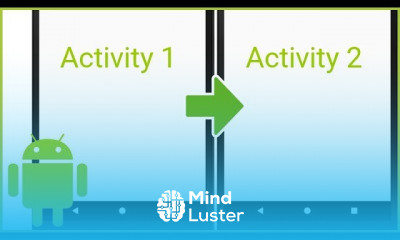
What is activity life cycle in Android? Once an activity is launched, it goes through a lifecycle, a term that refers to the steps the activity progresses through as the user (and OS) interacts with it. There are specific method callbacks that let you react to the changes during the activity lifecycle. The activity lifecyle has four states.What is main activity file in Android? The Main Activity File The main activity code is a Java file MainActivity.java. This is the actual application file which ultimately gets converted to a Dalvik executable and runs your application. Following is the default code generated by the application wizard for Hello World! application − package com. example.What is the difference between activity and view in Android? View is Display System of Android where you define layout to put subclasses of View in it eg. Buttons, Images etc. But Activity is Screen System of Android where you put display as well as user-interaction,(or whatever which can be contained in full-screen Window.)How do you kill an activity? You can also add android:noHistory="true" to your Activity tag in AndroidManifest. xml . Yes, all you need to do is call finish() in any Activity you would like to close.What are the 4 types of app components? There are four different types of app components: Activities. Services. Broadcast receivers. Content providers. Jan 13, 2021What is the role of activity in Android? An activity provides the window in which the app draws its UI. This window typically fills the screen, but may be smaller than the screen and float on top of other windows. Generally, one activity implements one screen in an app.
 To Register in Course you have to watch at least 30 Second of any lesson
 Understand Android activity lifecycle stages and implement callback methods for user interaction and app state management
Differentiate between Android activities and views, designing user interfaces with appropriate components
Develop and manage main activity files in Java, understanding their role in app execution and lifecycle
Implement activity termination techniques, including finish() method and android:noHistory attribute, for efficient app control
Identify and utilize the four core Android app components—activities, services, broadcast receivers, and content providers
Design user interfaces that effectively leverage activity windows and handle user interactions across different screen sizes
9 Lessons • 1 h 4 m total
 You must have an
Account
on the platform.
Complete all lessons.
Watch at least 50% of Lesson Duration.
Get your Certificate free 🎉 !
4.8
 (136 reviews)
Overall rating

Be the First One Review This Course
Nice

good

GOOD
very good

excelent
Basic Concepts of Android Activities
Better

Good
Better
Greay
this tuto helped me a lot thanks

What is activity life cycle in Android? Once an activity is launched, it goes through a lifecycle, a term that refers to the steps the activity progresses through as the user (and OS) interacts with it. There are specific method callbacks that let you react to the changes during the activity lifecycle. The activity lifecyle has four states.What is main activity file in Android? The Main Activity File The main activity code is a Java file MainActivity.java. This is the actual application file which ultimately gets converted to a Dalvik executable and runs your application. Following is the default code generated by the application wizard for Hello World! application − package com. example.What is the difference between activity and view in Android? View is Display System of Android where you define layout to put subclasses of View in it eg. Buttons, Images etc. But Activity is Screen System of Android where you put display as well as user-interaction,(or whatever which can be contained in full-screen Window.)How do you kill an activity? You can also add android:noHistory="true" to your Activity tag in AndroidManifest. xml . Yes, all you need to do is call finish() in any Activity you would like to close.What are the 4 types of app components? There are four different types of app components: Activities. Services. Broadcast receivers. Content providers. Jan 13, 2021What is the role of activity in Android? An activity provides the window in which the app draws its UI. This window typically fills the screen, but may be smaller than the screen and float on top of other windows. Generally, one activity implements one screen in an app.
Experience the full power of Mindluster with Premium.
No distractions, just pure education.
Cancel your subscription anytime