
 3 Lessons
 1.2K Students



Sandhiya S
Good
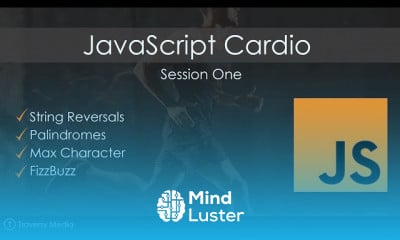
JavaScript is a text-based programming language used both on the client-side and server-side that allows you to make web pages interactive. Where HTML and CSS are languages that give structure and style to web pages, JavaScript gives web pages interactive elements that engage a user How do I turn on JavaScript? Chrome™ Browser - Android™ - Turn JavaScript On / Off From a Home screen, navigate: Apps icon > (Google) > Chrome . ... Tap the Menu icon. ... Tap Settings. From the Advanced section, tap Site settings. Tap JavaScript. Tap the JavaScript switch to turn on or off . How do I enable JavaScript on Google Chrome? Enable JavaScript in Google Chrome On your computer, open Chrome. At the top right, click More. Settings. At the bottom, click Advanced. Under "Privacy and security," click Content settings. Click JavaScript. Turn on Allowed (recommended). Is JavaScript easy to learn? JavaScript isn't exactly hard to learn, but if it's your first programming language adjusting to the mindset required for programming can take a lot of time. JavaScript is actually one of the easier programming languages to start with. In fact, there are several resources available to help you learn it with ease. Is Python or JavaScript better? Hands down, JavaScript is undeniably better than Python for website development for one simple reason: JS runs in the browser while Python is a backend server-side language. While Python can be used in part to create a website, it can't be used alone. Is JavaScript front end or backend? The visual aspects of the website that can be seen and experienced by users are frontend. On the other hand, everything that happens on the background can be attributed to the backend. Languages used for front end are HTML, CSS, Javascript while those used for backend include Java, Ruby, Python, . Net Is JavaScript free to install? For those want to learn to program, one of the biggest advantages of JavaScript is that it is all free. You don't need to pay for anything to get started.
 To Register in Course you have to watch at least 30 Second of any lesson
 Master JavaScript syntax, functions, and event handling for interactive web development
Implement dynamic content updates and user interface enhancements using JavaScript
Debug and troubleshoot JavaScript code to optimize website performance and user experience
Apply JavaScript best practices for secure, efficient, and maintainable web applications
3 Lessons • 2 h 7 m total
You must have an
Account
on the platform.
Complete all lessons.
Watch at least 50% of Lesson Duration.
Get your Certificate free 🎉 !
4.5
 (190 reviews)
Overall rating

Be the First One Review This Course
Good
Good

رائع 🫡🫡
neck
This platform is very good I'm happy to and thanks

Good

nice video
ممتاز
Good
Good
Excellent

Good

JavaScript is a text-based programming language used both on the client-side and server-side that allows you to make web pages interactive. Where HTML and CSS are languages that give structure and style to web pages, JavaScript gives web pages interactive elements that engage a user How do I turn on JavaScript? Chrome™ Browser - Android™ - Turn JavaScript On / Off From a Home screen, navigate: Apps icon > (Google) > Chrome . ... Tap the Menu icon. ... Tap Settings. From the Advanced section, tap Site settings. Tap JavaScript. Tap the JavaScript switch to turn on or off . How do I enable JavaScript on Google Chrome? Enable JavaScript in Google Chrome On your computer, open Chrome. At the top right, click More. Settings. At the bottom, click Advanced. Under "Privacy and security," click Content settings. Click JavaScript. Turn on Allowed (recommended). Is JavaScript easy to learn? JavaScript isn't exactly hard to learn, but if it's your first programming language adjusting to the mindset required for programming can take a lot of time. JavaScript is actually one of the easier programming languages to start with. In fact, there are several resources available to help you learn it with ease. Is Python or JavaScript better? Hands down, JavaScript is undeniably better than Python for website development for one simple reason: JS runs in the browser while Python is a backend server-side language. While Python can be used in part to create a website, it can't be used alone. Is JavaScript front end or backend? The visual aspects of the website that can be seen and experienced by users are frontend. On the other hand, everything that happens on the background can be attributed to the backend. Languages used for front end are HTML, CSS, Javascript while those used for backend include Java, Ruby, Python, . Net Is JavaScript free to install? For those want to learn to program, one of the biggest advantages of JavaScript is that it is all free. You don't need to pay for anything to get started.
Experience the full power of Mindluster with Premium.
No distractions, just pure education.
Cancel your subscription anytime


















