


SANTOSH SHIVLAL DHAMONE
Now I am capable of designing a simple model. Very Good.
 (5 reviews)
 22 Lessons
 138 Students
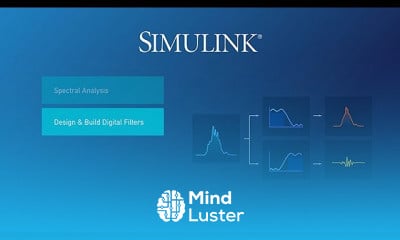
Matlab Simulink model management enables management of these models to quickly connect, simulate and validate how software, electronic, and mechanical systems .
 To Register in Course you have to watch at least 30 Second of any lesson
 Create and configure Simulink models for system simulation and validation using MATLAB Simulink software
Design and implement control systems and signal processing models with Simulink tools and blocks
Utilize Simulink libraries to build complex models for electronic, mechanical, and software systems
Apply best practices for Simulink model management, version control, and organization
Simulate dynamic systems and analyze results to optimize system performance and behavior
Integrate Simulink with MATLAB for data analysis, visualization, and automation workflows
Troubleshoot and debug Simulink models to ensure accurate simulation and system validation
Implement real-time simulation and hardware-in-the-loop testing with Simulink and MATLAB
Develop reusable Simulink components and subsystems for efficient model development
Leverage Simulink model management techniques to streamline project workflows and collaboration
22 Lessons • 1 h 48 m total
 You must have an
Account
on the platform.
Complete all lessons.
Watch at least 50% of Lesson Duration.
Get your Certificate free 🎉 !
3.8
(5 reviews)
Overall rating

Be the First One Review This Course
Now I am capable of designing a simple model. Very Good.

Right place for Simulink course....
Inthis course 4 videos are not available in this course which give the error which are "this video is not available & this video is private " this type of error give & I am watch all the video but this 4 videos give the error and my cirtificate is not generate this is a bed for my side so first check all the video of is available then watch the all video

Good

Very nice

Matlab Simulink model management enables management of these models to quickly connect, simulate and validate how software, electronic, and mechanical systems .
Experience the full power of Mindluster with Premium.
No distractions, just pure education.
Cancel your subscription anytime