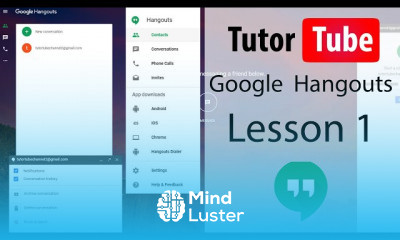

 40 Lessons
 83 Students


Important: The Google Hangouts app on Android or iOS is no longer available. Video call ringing is currently only available in the Gmail mobile app. It will be available through the Google Chat app in the later .
 To Register in Course you have to watch at least 30 Second of any lesson
What You'll Learn
-
 Master how to initiate and manage video calls using Gmail and Google Chat apps for effective communication
-
Navigate Google Hangouts features for seamless messaging, video conferencing, and collaboration in professional environments
-
Troubleshoot common issues in Google Hangouts, Gmail, and Google Chat to ensure uninterrupted video and chat services
-
Integrate Google Hangouts with other Google Workspace tools for enhanced productivity and team collaboration
-
Utilize Google Hangouts for virtual meetings, webinars, and remote team management efficiently
-
Implement best practices for privacy, security, and etiquette during Google Hangouts video calls and chats
-
Customize notification settings in Gmail and Google Chat to stay updated on important communications
-
Leverage Google Hangouts features to facilitate remote interviews, client meetings, and online training sessions
-
Identify alternative communication tools within Google Workspace when Google Hangouts is unavailable or limited
-
Optimize video call quality and connectivity in Gmail and Google Chat for professional virtual interactions
-
Apply effective strategies for scheduling, inviting, and managing multiple participants in Google Hangouts meetings
-
Enhance team collaboration and remote work productivity through proficient use of Google Hangouts and related apps
Course Content
40 Lessons • 1 h 24 m total

Google Hangouts Tutorial Lesson 1 Accessing Google Hangouts
Google Hangouts Tutorial Lesson 2 Interface
Google Hangouts Tutorial Lesson 3 Send Accept and Reject Conversation Requests
Google Hangouts Tutorial Lesson 4 Chat
Google Hangouts Tutorial Lesson 5 Group Chat
Google Hangouts Tutorial Lesson 6 Leaving Conversation
Google Hangouts Tutorial Lesson 7 Archive Conversation
Google Hangouts Tutorial Lesson 8 Accessing Archived Hangouts
Google Hangouts Tutorial Lesson 9 Unarchive Conversation
Google Hangouts Tutorial Lesson 10 Conversation History
Google Hangouts Tutorial Lesson 11 Adding and Removing People in Existing Groups
Google Hangouts Tutorial Lesson 12 Deleting Conversation
Google Hangouts Tutorial Lesson 13 Managing and Working with Contacts
Google Hangouts Tutorial Lesson 14 See Who is Online or Offline
Google Hangouts Tutorial Lesson 15 Sharing your Status
Google Hangouts Tutorial Lesson 16 Notification Settings
Google Hangouts Tutorial Lesson 17 Convert Text to Emoji Settings
Google Hangouts Tutorial Lesson 18 Customizing Invite Settings
Google Hangouts Tutorial Lesson 19 Blocking and Unblocking People
Google Hangouts Tutorial Lesson 20 Sending Photos
Google Hangouts Tutorial Lesson 21 Sending Videos
Google Hangouts Tutorial Lesson 22 Maximize Minimize Hide and Resize Chat Windows
Google Hangouts Tutorial Lesson 23 Changing Profile Picture
Google Hangouts Tutorial Lesson 24 Sharing Files
Google Hangouts Tutorial Lesson 25 Starting a Video Call
Google Hangouts Tutorial Lesson 26 Sharing Video Call Link
Google Hangouts Tutorial Lesson 27 Accepting Calls
Google Hangouts Tutorial Lesson 28 Inviting people to Ongoing Calls and Initiating Group Call
Google Hangouts Tutorial Lesson 29 Making Video Calls Fullscreen and Resizing Window
Google Hangouts Tutorial Lesson 30 Messaging During Call
Google Hangouts Tutorial Lesson 31 Sharing Entire Screen and Application Window
Google Hangouts Tutorial Lesson 32 Call Settings
Google Hangouts Tutorial Lesson 33 Installing Hangouts Browser Extension
Google Hangouts Tutorial Lesson 34 Browser Extension Hangouts Interface
Google Hangouts Tutorial Lesson 35 Chatting and Calling through Browser Extension
Google Hangouts Tutorial Lesson 36 Browser Extension Settings
Google Hangouts Tutorial Lesson 37 Keyboard Shortcuts
Google Hangouts Tutorial Lesson 38 Phone Call Option
Google Hangouts Tutorial Lesson 39 Sharing Location
Google Hangouts Tutorial Lesson 40 Accessing Hangouts from Gmail
How to Get The Certificate
-
You must have an
Account
on the platform.
-
Complete all lessons.
-
Watch at least 50% of Lesson Duration.
-
Get your Certificate free 🎉 !



4.4
 (24 reviews)
Overall rating

Reviews
Be the First One Review This Course
Related Courses
View All
















Google Hangouts Course Description
Important: The Google Hangouts app on Android or iOS is no longer available. Video call ringing is currently only available in the Gmail mobile app. It will be available through the Google Chat app in the later .
Focus on Learning, Not Ads
Experience the full power of Mindluster with Premium.
No distractions, just pure education.
Cancel your subscription anytime
