
 38 Lessons
 106 Students




Meljane Mae Rabaca
good
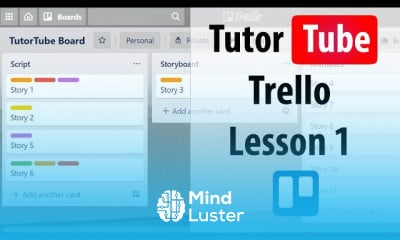
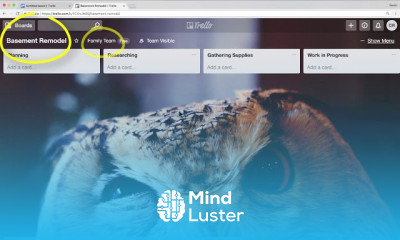
What is Trello? Trello is the visual tool that empowers your team to manage any type of project, workflow, or task tracking. Add files, checklists, or even automation: Customize it all for how your team works best. Just sign up, create a board, and you're off ...
 To Register in Course you have to watch at least 30 Second of any lesson
 Master Trello board creation to organize projects and workflows efficiently using visual tools and templates
Implement task management strategies with checklists, labels, and due dates for improved team productivity
Customize Trello boards with automation features to streamline repetitive tasks and enhance workflow efficiency
Collaborate seamlessly by sharing boards, assigning tasks, and communicating within Trello for real-time project updates
Integrate Trello with other tools like Slack, Google Drive, and calendar apps to optimize project management processes
Utilize Trello’s file attachment and comment features to facilitate clear communication and document sharing
Apply best practices for managing multiple projects and prioritizing tasks within Trello for maximum productivity
Track project progress and identify bottlenecks using Trello’s visual dashboards and activity logs
Create and manage templates for recurring projects to save time and ensure consistency across teams
Leverage Trello’s automation rules to reduce manual work and increase team efficiency
Develop strategies for onboarding new team members to Trello and ensuring effective collaboration
Analyze project data within Trello to improve workflows and achieve better project outcomes
38 Lessons • 2 h 19 m total
 You must have an
Account
on the platform.
Complete all lessons.
Watch at least 50% of Lesson Duration.
Get your Certificate free 🎉 !
4.9
 (7 reviews)
Overall rating

Be the First One Review This Course
good

The courses are arranged in a smart order and very easy to follow and understand.

Good tutorial

The Trello course was well-structured and easy to follow. The explanations were clear, and the practical examples helped me understand how to use Trello effectively for project management. I especially appreciated the focus on collaboration features. A few more advanced case studies could make the course even stronger, but overall, it was very useful and worth the time.

Good Lesson
educative

perfect
PERFECT
Well structured tutorial

So helpful

I absolutely had a swell time learning Trello. it was an engaging experience

The course content was well-structured and comprehensive. The lessons were engaging, and the materials provided were of high quality. I appreciated the clear and concise explanations, as well as the relevant examples that were used to illustrate key concepts. The instructors were knowledgeable and did an excellent job of conveying the information effectively.

What is Trello? Trello is the visual tool that empowers your team to manage any type of project, workflow, or task tracking. Add files, checklists, or even automation: Customize it all for how your team works best. Just sign up, create a board, and you're off ...
Experience the full power of Mindluster with Premium.
No distractions, just pure education.
Cancel your subscription anytime