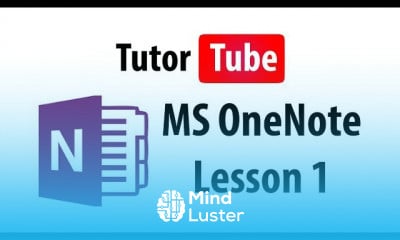
MS OneNote Course

4.2 (31 reviews)
  • 57 Lessons
  • 107 Students
  • Certificate of completion

مايكروسوفت ون نوت (بالإنجليزية: Microsoft OneNote)‏ (يعرف سابقاً مايكروسوفت اوفيس ون نوت) هو تطبيق حاسب على شكل نموذج حر لجمع المعلومات وتعاون المستخدمين. يمكن جمع ملاحظات المستخدم (بخط اليد أو الطباعة بلوحة المفاتيح)، الرسومات، القصاصات، والتعليقات الصوتية ومشاركتها مع مستخدمين آخرين لون نوت عبر الشبكة.

To Register in Course you have to watch at least 30 Second of any lesson

What You'll Learn

  • Master how to organize and categorize notes effectively using Microsoft OneNote tools and features
  • Create, edit, and format multimedia notes including text, images, audio, and drawings in OneNote
  • Collaborate seamlessly with others by sharing notebooks and managing permissions in Microsoft OneNote
  • Utilize OneNote tags, search functions, and templates to enhance productivity and information retrieval
  • Integrate OneNote with other Microsoft Office applications for streamlined workflow and data management
  • Implement best practices for note-taking during meetings, lectures, and project planning sessions
  • Customize OneNote interface and settings to suit personal or team productivity needs
  • Troubleshoot common issues and optimize performance for efficient use of Microsoft OneNote

Course Content

57 Lessons • 2 h 35 m total

MS OneNote Tutorial Lesson 1 OneNote Interface

2:24

MS OneNote Tutorial Lesson 2 Notebook Properties and Saving Notebook

2:27

MS OneNote Tutorial Lesson 3 Creating and Deleting Notebook

3:43

MS OneNote Tutorial Lesson 4 Creating Deleting and Moving Sections

4:24

MS OneNote Tutorial Lesson 5 Notebook Recycle Bin

2:01

MS OneNote Tutorial Lesson 6 Pages and Subpages

4:08

MS OneNote Tutorial Lesson 7 Creating Note

2:31

MS OneNote Tutorial Lesson 8 Renaming Notebook

2:07

MS OneNote Tutorial Lesson 9 Sending Content to OneNote

2:29

MS OneNote Tutorial Lesson 10 Copying and Pasting Content

1:59

MS OneNote Tutorial Lesson 11 Screen Clipping

1:44

MS OneNote Tutorial Lesson 12 Inserting Pictures

2:12

MS OneNote Tutorial Lesson 13 Inserting Audio

1:37

MS OneNote Tutorial Lesson 14 Inserting Video

1:27

MS OneNote Tutorial Lesson 15 Inserting Files

1:23

MS OneNote Tutorial Lesson 16 Recording Audio

2:48

MS OneNote Tutorial Lesson 17 Using Symbols

1:47

MS OneNote Tutorial Lesson 18 Text Formatting

3:12

MS OneNote Tutorial Lesson 19 Format Painter

1:47

MS OneNote Tutorial Lesson 20 Bullets and Numbering

2:58

MS OneNote Tutorial Lesson 21 Quick Gallery

1:13

MS OneNote Tutorial Lesson 22 Spelling and Grammar

2:43

MS OneNote Tutorial Lesson 23 Proofing and Proofing Options

2:33

MS OneNote Tutorial Lesson 24 User Interface Organization

4:04

MS OneNote Tutorial Lesson 25 Docking Windows

3:46

MS OneNote Tutorial Lesson 26 Searching Notebook

2:14

MS OneNote Tutorial Lesson 27 Note Tag

4:03

MS OneNote Tutorial Lesson 28 Template

2:09

MS OneNote Tutorial Lesson 29 Saving Template

2:56

MS OneNote Tutorial Lesson 30 Default Template Setting

2:06

MS OneNote Tutorial Lesson 31 Paper Size

2:57

MS OneNote Tutorial Lesson 32 Background Graphic

2:24

MS OneNote Tutorial Lesson 33 Creating Tables

2:57

MS OneNote Tutorial Lesson 34 Adding and Removing Table Rows and Columns

2:56

MS OneNote Tutorial Lesson 35 Table and Table Cell Formatting

5:37

MS OneNote Tutorial Lesson 36 Table Sorting

1:58

MS OneNote Tutorial Lesson 37 Working with Excel Spreadsheet

3:28

MS OneNote Tutorial Lesson 38 Pen Mode

1:58

MS OneNote Tutorial Lesson 39 Handwriting to Types Text Conversion

1:49

MS OneNote Tutorial Lesson 40 Note and Drawing Manipulation

3:48

How to Get The Certificate

  • You must have an Account on the platform.
  • Complete all lessons.
  • Watch at least 50% of Lesson Duration.
  • Get your Certificate free 🎉 !

Certificate Example

Mind Luster Certificate Template

4.2 (31 reviews)

Overall rating

  • 5.0 0%
  • 4.0 0%
  • 3.0 0%
  • 2.0 0%
  • 1.0 0%

Reviews

Joakim Bardal

· 1yr ago

Nice

Areej Khilji

· 3yrs ago

excellent

OKE OLUWASEYI

· 3yrs ago

I love your learning platform. Thank you mindlust

Nandini Gogna

· 3yrs ago

good

Suzana Evans

· 3yrs ago

Incredibly useful and easy to follow. Thank you!

Nani Bujji

· 3yrs ago

Easy to convincing all medium students

LIAQAT ALI

· 3yrs ago

GOOD

MS OneNote Course Description

مايكروسوفت ون نوت (بالإنجليزية: Microsoft OneNote)‏ (يعرف سابقاً مايكروسوفت اوفيس ون نوت) هو تطبيق حاسب على شكل نموذج حر لجمع المعلومات وتعاون المستخدمين. يمكن جمع ملاحظات المستخدم (بخط اليد أو الطباعة بلوحة المفاتيح)، الرسومات، القصاصات، والتعليقات الصوتية ومشاركتها مع مستخدمين آخرين لون نوت عبر الشبكة.

Focus on Learning, Not Ads

Experience the full power of Mindluster with Premium.
No distractions, just pure education.

Get Mindluster Premium

Cancel your subscription anytime
Course Intro