×
MindLuster Logo

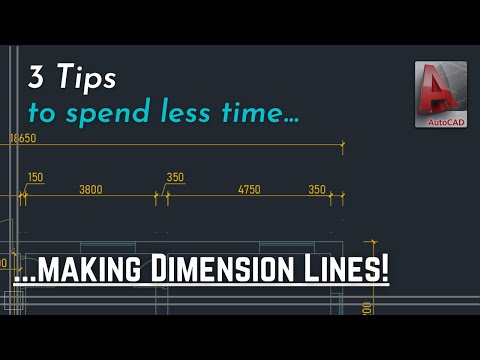
Autocad 3 Tips to insert dimension lines quicker and more efficient

Share your inquiries now with community members Click Here
Sign Up and Get Free Certificate
Sign up Now
Lesson extensions

Lessons List | 10 Lesson

Comments

Our New Certified Courses Will Reach You in Our Telegram Channel
Join Our Telegram Channels to Get Best Free Courses

Join Now

We Appreciate Your Feedback

Be the First One Review This Course

Excellent
0 Reviews
Good
0 Reviews
medium
0 Reviews
Acceptable
0 Reviews
Not Good
0 Reviews
0
0 Reviews

Ananya M

it was helpful
2025-01-29

Course Description

Editing dimension lines in autoCAD, in this course focuses on the techniques for editing and refining dimension lines in AutoCAD to ensure precision and clarity in technical drawings. Participants will learn how to modify dimension properties, adjust line placement, and customize text, arrow styles, and scale settings. The course covers advanced editing tools, including grip manipulation, aligning dimensions, and applying overrides for specific measurements. Through hands-on exercises, students will gain the skills to enhance readability, ensure design compliance, and make drawings more professional. Whether you're an architect, engineer, or designer, this course will empower you to effectively edit dimension lines in AutoCAD.

Trends
Recent
2026 میں بہترین آن لائن کاروبار ابتدائی افراد کے لیے ایتھیکل ہیکنگ YouTube سے پیسے کیسے کمائیں ابتدائی افراد کے لیے فری لانسنگ شروع کریں 2026 میں اپنی ذاتی برانڈنگ بنائیں 2026 میں مواد تخلیق کرنا AI کے ساتھ فری لانسنگ کیسے شروع کریں 2026 में YouTube चैनल कैसे शुरू करें YouTube चैनल को तेजी से कैसे बढ़ाएं YouTube वायरल वीडियो स्ट्रैटेजी YouTube से पैसे कैसे कमाएं 2026 YouTube ग्रोथ स्ट्रैटेजी 2026 YouTube कंटेंट आइडियाज़ और स्ट्रैटेजी 2026 2026 में ई कॉमर्स নতুনদের জন্য অ্যাফিলিয়েট মার্কেটিং ব্যবসার জন্য সোশ্যাল মিডিয়া মার্কেটিং মার্কেটিংয়ের জন্য সেরা কীওয়ার্ড রিসার্চ নতুনদের জন্য অ্যামাজন অ্যাফিলিয়েট মার্কেটিং একাধিক Google Ads অ্যাকাউন্ট তৈরি করুন ব্যবসার জন্য ফেসবুক মার্কেটিং