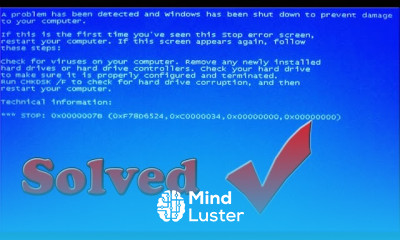
Resolving Blue Screen errors techniques Course

 (146 reviews)
-
 115 Lessons
-
 21 Students
- Certificate of completion


Resolving Blue Screen errors course, in this course aimed at providing comprehensive insights into troubleshooting and fixing the common issues leading to blue screen errors on various devices, including computers and laptops. This course offers step-by-step guidance on diagnosing the root causes behind blue screen errors and implementing effective solutions to resolve them. Whether caused by hardware malfunctions, driver conflicts, or software issues, you'll learn practical techniques to address blue screen errors efficiently. By the end of this course, you'll be equipped with the knowledge and skills needed to tackle blue screen errors confidently, ensuring a smoother and more reliable computing experience. Let's dive into the course and start resolving those blue screen errors today.
 To Register in Course you have to watch at least 30 Second of any lesson
What You'll Learn
-
 Identify common causes of blue screen errors including hardware, drivers, and software conflicts using diagnostic tools and techniques
-
Apply step-by-step troubleshooting methods to diagnose and resolve blue screen errors on various Windows devices
-
Implement effective hardware troubleshooting strategies to fix blue screen errors caused by faulty components or malfunctions
-
Update, roll back, or reinstall device drivers to resolve driver conflicts leading to blue screen errors
-
Utilize system recovery options and restore points to fix software-related blue screen issues efficiently
-
Analyze error codes and memory dump files to pinpoint root causes of blue screen errors accurately
-
Configure system settings and BIOS options to prevent and resolve blue screen errors during startup
-
Implement preventive maintenance practices to minimize future blue screen errors and improve system stability
Course Content
115 Lessons • 6 h 42 m total

HOW TO FIX BLUE SCREEN ERROR EASY SOLUTION
Solved 100 Registry editing has been disabled by your administrator
How to fix error Display driver stopped responding and has recovered technical adan
How to change processor CPU name in Windows permanently 2018
Fix The Error Message The parameter is incorrect ON WINDOWS 7 8 10
How To Install Benq Scanner 5000 Driver for Windows 7 100 Workable
HOW TO FIX Windows Detected A HARD DISK PROBLEM WITH Solution 2018
HOW TO Install HP laserjet 1200 printer driver ON Windows 7
HOW TO REMOVE MEMORY CARD PASSWORD 2018
How to Convert FAT32 to NTFS WITHOUT FORMATTING LOSING DATA
How to Enable or Disable Folder Options in Windows 100 working technical adan
How to Enable Disable Task Manager in Windows 7 8 1 10 Xp
How to Remove write protection Error form USB drive 100 working Solution
How To Change Windows 7 Boot Screen Animation windows ki boot screen kis tara change karte hay
How to Enable GodMode {ED7BA470 8E54 465E 825C 99712043E01C} for All Windows
100 USEFUL KEYBOARD SHORT KEYS Shortcuts
Different types of computer viruses What Are The Different Types Of Computer Viruses
How do viruses work What is a Computer Virus Technical adan
How to Update And Install Drivers For All Laptop and Computer 100 working Technical Adan
How to fix Windows was unable to complete format quick solution
To Do After Installing Windows 7 8 1 10 Technical Adan
How to Remove Dual Boot Menu Option – Fix for Windows 10 8 1 7 by Technical Adan
How to Convert Update Windows7 SP1 SP2 SP3 without Using Any Setup Programs
TFGHT is Compressed press ctrl alt del to Restart Error Solve
The System Has Halted Problem Solution 2018
How to Solved Reboot and select proper boot device error just 3 Solutions problem Solved
Turn Off Action Center Notifications 2020 better performance 100 Technical Adan
Internal hard disk drive not found To resolve this issue try to reseat the drive Solutions 100
Hard disk circuit board replacement for recover data l change PCB Non detected Hard drive board
Lenovo Thinkcentre motherboard Remove Bios Password
No Device Drivers Were Found Windows Installation Problem l FIXED ll Technical Adan
How To Repair Not Detected Hard Drive
How to Remove hide or unhide the Windows System Reserved Partition Windows 7 8 1 10
TOP 5 Common Hardware Problems Computer Laptop Solution Hindi Urdu Technical Adan
1720 smart hard drive detects imminent failure The risk of data loss how to fix it Solved 100
How to Disable automatic Disk Check In windows 7 8 1 10
Fix You currently don t have permission to access this folder problem solved 2021
Fixed The System Has Halted Problem Solution 2021 lenovo thinkcentre
Easily Fix Windows 7 Startup Repair Problem 2018
What is CPM RPM and eCPM Technical adan

How to Get The Certificate
-
You must have an
Account
on the platform.
-
Complete all lessons.
-
Watch at least 50% of Lesson Duration.
-
Get your Certificate free 🎉 !
4.0
(146 reviews)
Overall rating

Reviews
Be the First One Review This Course
Related Courses
View All


















Resolving Blue Screen errors techniques Course Description
Resolving Blue Screen errors course, in this course aimed at providing comprehensive insights into troubleshooting and fixing the common issues leading to blue screen errors on various devices, including computers and laptops. This course offers step-by-step guidance on diagnosing the root causes behind blue screen errors and implementing effective solutions to resolve them. Whether caused by hardware malfunctions, driver conflicts, or software issues, you'll learn practical techniques to address blue screen errors efficiently. By the end of this course, you'll be equipped with the knowledge and skills needed to tackle blue screen errors confidently, ensuring a smoother and more reliable computing experience. Let's dive into the course and start resolving those blue screen errors today.
Focus on Learning, Not Ads
Experience the full power of Mindluster with Premium.
No distractions, just pure education.
Cancel your subscription anytime
