

Ranjani Ranjani
Good
 (33 reviews)
 5 Lessons
 14 Students
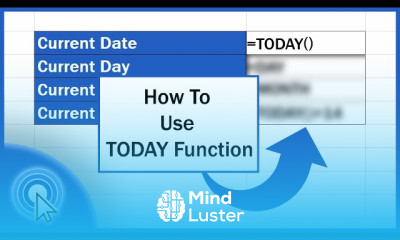
Date calculations in excel course, in this course we will learn about date calculations in Excel, providing you with the skills to manage and analyze dates efficiently. Date calculations are essential for various applications, including financial analysis, project management, and data reporting. You will start by understanding the basics of date formats in Excel and how to input dates correctly. The course will cover fundamental date functions such as TODAY(), NOW(), DATE(), and DATEDIF(), which are used to perform basic calculations like finding the current date, creating specific dates, and calculating differences between dates. You will also explore more advanced techniques, including using the WORKDAY() and NETWORKDAYS() functions to calculate working days, and leveraging the EDATE() and EOMONTH() functions for month-end calculations. Hands-on exercises will provide practical experience in applying these functions to real-world scenarios, such as tracking deadlines, scheduling tasks, and analyzing time-based data. By the end of this course, you will be proficient in using Excel for date calculations, enabling you to handle date-related tasks with confidence and precision. Whether you are a beginner or looking to refine your skills, this course will equip you with the knowledge and tools to master date calculations in Excel, enhancing your productivity and analytical capabilities.
 To Register in Course you have to watch at least 30 Second of any lesson
 Master date functions like TODAY(), NOW(), DATE(), and DATEDIF() for accurate Excel date calculations and analysis
Apply WORKDAY() and NETWORKDAYS() functions to calculate working days and project timelines efficiently
Utilize EDATE() and EOMONTH() for month-end calculations and scheduling deadlines in Excel
Perform real-world date calculations for financial analysis, project management, and data reporting with confidence
5 Lessons • 20 m total
 You must have an
Account
on the platform.
Complete all lessons.
Watch at least 50% of Lesson Duration.
Get your Certificate free 🎉 !
4.4
(33 reviews)
Overall rating

Be the First One Review This Course
Good

this course was good

Date calculations in excel course, in this course we will learn about date calculations in Excel, providing you with the skills to manage and analyze dates efficiently. Date calculations are essential for various applications, including financial analysis, project management, and data reporting. You will start by understanding the basics of date formats in Excel and how to input dates correctly. The course will cover fundamental date functions such as TODAY(), NOW(), DATE(), and DATEDIF(), which are used to perform basic calculations like finding the current date, creating specific dates, and calculating differences between dates. You will also explore more advanced techniques, including using the WORKDAY() and NETWORKDAYS() functions to calculate working days, and leveraging the EDATE() and EOMONTH() functions for month-end calculations. Hands-on exercises will provide practical experience in applying these functions to real-world scenarios, such as tracking deadlines, scheduling tasks, and analyzing time-based data. By the end of this course, you will be proficient in using Excel for date calculations, enabling you to handle date-related tasks with confidence and precision. Whether you are a beginner or looking to refine your skills, this course will equip you with the knowledge and tools to master date calculations in Excel, enhancing your productivity and analytical capabilities.
Experience the full power of Mindluster with Premium.
No distractions, just pure education.
Cancel your subscription anytime


















