


Cátia Antunes
Very useful contens. I will rewatch for sure
 (192 reviews)
 18 Lessons
 11 Students
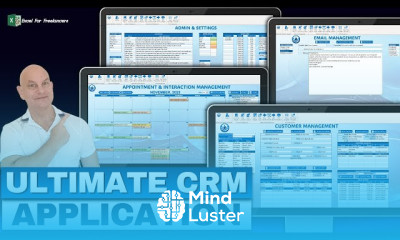
Create a contact manager in excel course, in this course teaches you how to design a functional contact manager in Microsoft Excel, integrated with a Kanban board for streamlined organization. You’ll learn to build a customizable contact database, track interactions, and organize contacts into categories or stages using a Kanban-style workflow. The course covers creating structured tables for storing details, using data validation for consistent entries, and implementing conditional formatting for visual highlights. Additionally, you'll explore using Excel formulas and automation to update status dynamically and build filters for quick searches. By the end of the course, you’ll have a powerful, visually intuitive contact management system tailored to your needs, ideal for professionals looking to organize and manage their network effectively.
 To Register in Course you have to watch at least 30 Second of any lesson
 Create a customizable contact database using Excel tables and data validation techniques for consistent data entry
Implement conditional formatting to visually highlight contact details and interaction statuses in Excel
Design and integrate a Kanban board within Excel to organize contacts by stages or categories effectively
Utilize Excel formulas and automation to dynamically update contact statuses and track interactions
Build advanced filters and search functions for quick access to specific contacts and information
Develop a user-friendly interface for managing and updating contact information efficiently
Apply best practices for organizing large contact lists and maintaining data accuracy in Excel
Create a visually intuitive contact management system tailored for professional networking and relationship management
18 Lessons • 27 h 44 m total
 You must have an
Account
on the platform.
Complete all lessons.
Watch at least 50% of Lesson Duration.
Get your Certificate free 🎉 !
4.1
(192 reviews)
Overall rating

Be the First One Review This Course
Very useful contens. I will rewatch for sure

Create a contact manager in excel course, in this course teaches you how to design a functional contact manager in Microsoft Excel, integrated with a Kanban board for streamlined organization. You’ll learn to build a customizable contact database, track interactions, and organize contacts into categories or stages using a Kanban-style workflow. The course covers creating structured tables for storing details, using data validation for consistent entries, and implementing conditional formatting for visual highlights. Additionally, you'll explore using Excel formulas and automation to update status dynamically and build filters for quick searches. By the end of the course, you’ll have a powerful, visually intuitive contact management system tailored to your needs, ideal for professionals looking to organize and manage their network effectively.
Experience the full power of Mindluster with Premium.
No distractions, just pure education.
Cancel your subscription anytime


















