×
MindLuster Logo

Excel básico

Track :

Computer Softwares

Course Presenter :

Professor Claudio Damasceno

Lessons no : 20

For Free Certificate After Complete The Course

To Register in Course you have to watch at least 30 Second of any lesson

Join The Course Go To Community Download Course Content
What will you learn in this course?
  • Create and format spreadsheets using Microsoft Excel for various practical applications
  • Insert and organize data efficiently in Excel worksheets for improved data management
  • Apply basic formulas and functions like SUM, AVERAGE, and IF to analyze data accurately
  • Design and customize charts and graphs to visualize data insights effectively
  • Implement automatic formatting and filtering to enhance data presentation and usability
  • Develop reports, lists, and tables to support financial, inventory, and task management
  • Utilize Excel shortcuts and productivity tips to increase work efficiency and reduce errors
  • Build foundational Excel skills to confidently progress to advanced functions and data analysis

How to Get The Certificate

  • You must have an account Register
  • Watch All Lessons
  • Watch at least 50% of Lesson Duration
  • you can follow your course progress From Your Profile
  • You can Register With Any Course For Free
  • The Certificate is free !
Lessons | 20

Recommended Courses


We Appreciate Your Feedback

Excellent
3 Reviews
Good
0 Reviews
medium
0 Reviews
Acceptable
0 Reviews
Not Good
0 Reviews
5
3 Reviews

Johnny Gustavo Nascimento dos Santos

Bom!
2025-12-02

José Adauto Cavalcante filho

Aulas muito bem explicadas. Bom aproveitamento.
2025-10-22

Гульназ

Good!
2025-10-17

Show More Reviews

Our New Certified Courses Will Reach You in Our Telegram Channel
Join Our Telegram Channels to Get Best Free Courses


Join Now

Related Courses

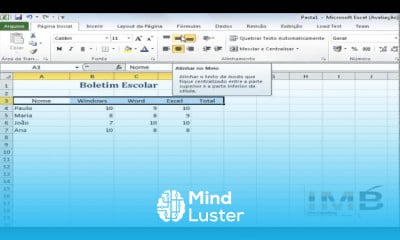
Excel básico, neste curso é ideal para quem deseja iniciar no uso do Microsoft Excel e compreender suas principais funções. Nele, o aluno aprende a criar e formatar planilhas, inserir dados, usar fórmulas e funções simples, como SOMA, MÉDIA e SE. O curso aborda também a organização e filtragem de informações, criação de gráficos e aplicação de formatações automáticas. Com uma metodologia prática, o estudante desenvolve habilidades para montar relatórios, listas e tabelas funcionais, facilitando o controle de finanças, estoque e tarefas do dia a dia. Além disso, o curso apresenta dicas úteis e atalhos que aumentam a produtividade. Ao final, o participante estará apto a trabalhar com o Excel de forma eficiente e confiante, dominando as bases essenciais para evoluir para níveis mais avançados. Professor Claudio Damasceno