×
MindLuster Logo

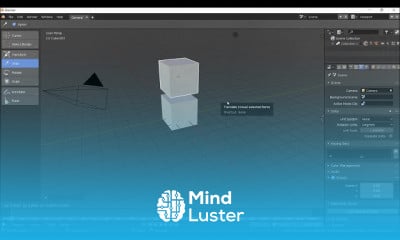
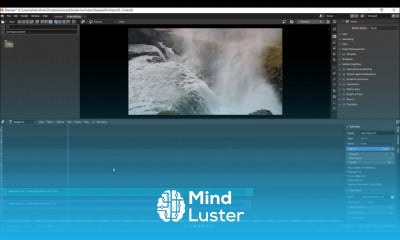
Blender

Track :

Graphic Design

Lessons no : 4

For Free Certificate After Complete The Course

To Register in Course you have to watch at least 30 Second of any lesson

Join The Course Go To Community Download Course Content

What will you learn in this course?
  • Create detailed 3D models using Blender's intuitive interface and modeling tools
  • Apply texturing and shading techniques to enhance visual realism in Blender projects
  • Animate objects and characters to produce dynamic, professional-quality animations in Blender
  • Utilize rendering and lighting settings to produce high-quality, realistic images and animations in Blender

How to Get The Certificate

  • You must have an account Register
  • Watch All Lessons
  • Watch at least 50% of Lesson Duration
  • you can follow your course progress From Your Profile
  • You can Register With Any Course For Free
  • The Certificate is free !
Lessons | 4

Recommended Courses


We Appreciate Your Feedback

Excellent
0 Reviews
Good
1 Reviews
medium
0 Reviews
Acceptable
0 Reviews
Not Good
1 Reviews
4.4
22 Reviews

Kiran P

z
2025-12-02

Jose Said Arceo Arias

Good
2025-11-19

Sharim Takhawar

Ok
2025-11-07

Akbarsha Abbas

good
2025-09-24

Sujeet Kumar

Very good
2025-08-15

Kélyan

Tres Clair et facile à comprendre, merci.
2025-08-10

M Ganesh Goud

kk
2025-07-04

Dayan Bukhari

amazing
2025-05-16

Kevin Evina

Thanks
2025-03-31

Amos Jason Oppong

Great
2025-03-19

Sufyan Afzal

ok
2024-07-01

Daria D

good
2024-03-19

Show More Reviews

Our New Certified Courses Will Reach You in Our Telegram Channel
Join Our Telegram Channels to Get Best Free Courses


Join Now

Related Courses

Blender is easy to learn but difficult to master. The common misconception is that Blender is a very complex program with 100's of tools all stored away in various places. It is no more difficult to learn though than other 3D modeling programs if you are a beginner .