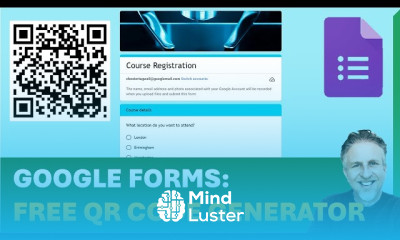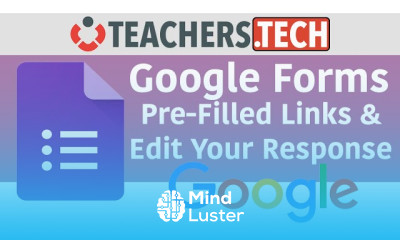
I learned everything related google form from this course.
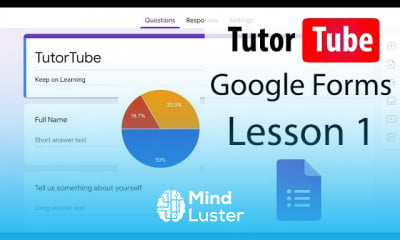
Google Forms is now a full-featured forms tool that comes free with your Google account. You can add standard question types, drag and drop ...
To Register in Course you have to watch at least 30 Second of any lesson
What You'll Learn
-
Create customized surveys and quizzes using Google Forms for data collection and assessment purposes
-
Design engaging forms with various question types including multiple choice, dropdowns, and checkboxes
-
Implement conditional logic and branching to personalize respondent experiences in Google Forms
-
Analyze responses with real-time summaries and export data for detailed insights and reporting
-
Integrate Google Forms with Google Sheets for automated data management and analysis
-
Enhance form accessibility and user experience across devices and platforms
-
Utilize Google Forms add-ons to extend functionality and streamline workflows
-
Apply best practices for form design to improve response rates and data accuracy
-
Secure form data with privacy settings and sharing permissions in Google Forms
-
Automate notifications and email confirmations for respondents and administrators
-
Use Google Forms templates to quickly create professional and consistent forms
-
Troubleshoot common issues and optimize form performance for large-scale data collection
Course Content
42 Lessons • 1 h 36 m total
Google Forms Tutorial Lesson 1 Accessing Google Forms
Google Forms Tutorial Lesson 2 Creating New Forms
Google Forms Tutorial Lesson 3 Naming Form and Adding in Description
Google Forms Tutorial Lesson 4 Adding in and Deleting Questions
Google Forms Tutorial Lesson 5 Making Questions Required
Google Forms Tutorial Lesson 6 Short Answer and Paragraph
Google Forms Tutorial Lesson 7 Multiple Choices Checkboxes and Dropdown
Google Forms Tutorial Lesson 8 File Upload
Google Forms Tutorial Lesson 9 Linear Scale Multiple Choice Grid and Tick Box Grid
Google Forms Tutorial Lesson 10 Date and Time
Google Forms Tutorial Lesson 11 Response Validation
Google Forms Tutorial Lesson 12 Duplicating and Deleting Questions
Google Forms Tutorial Lesson 13 Adding YouTube Videos
Google Forms Tutorial Lesson 14 Inserting Image from your Computer
Google Forms Tutorial Lesson 15 Adding Image from Camera
Google Forms Tutorial Lesson 16 Adding Image by URL
Google Forms Tutorial Lesson 17 Adding Images from Google Photos
Google Forms Tutorial Lesson 18 Adding Images from Google Drive
Google Forms Tutorial Lesson 19 Adding Images from Google Image Search
Google Forms Tutorial Lesson 20 Image Alignment Options
Google Forms Tutorial Lesson 21 Dividing into Sections
Google Forms Tutorial Lesson 22 Section Conditions
Google Forms Tutorial Lesson 23 Themes
Google Forms Tutorial Lesson 24 Accepting and Blocking Responses
Google Forms Tutorial Lesson 25 Selecting Response Destination
Google Forms Tutorial Lesson 26 Download all Responses
Google Forms Tutorial Lesson 27 Unlinking and Relinking Response Sheets
Google Forms Tutorial Lesson 28 Printing Reponses and Deleting Responses
Google Forms Tutorial Lesson 29 Email Address Collection and Response Receipts
Google Forms Tutorial Lesson 30 Limiting Responses and Respondent permissions
Google Forms Tutorial Lesson 31 Presentation Settings
Google Forms Tutorial Lesson 32 Making Quiz
Google Forms Tutorial Lesson 33 Quiz Settings
Google Forms Tutorial Lesson 34 Emailing Form
Google Forms Tutorial Lesson 35 Sharing Form Link
Google Forms Tutorial Lesson 36 Adding and Working with Collaborators
Google Forms Tutorial Lesson 37 Embedding Form in Web Page
Google Forms Tutorial Lesson 38 View Responses
Google Forms Tutorial Lesson 39 Deleting and Recovering Forms
Google Forms Tutorial Lesson 40 Embedding Forms in Google Sites
How to Get The Certificate
-
You must have an Account on the platform.
-
Complete all lessons.
-
Watch at least 50% of Lesson Duration.
-
Get your Certificate free 🎉 !
4.8
(18 reviews)
Overall rating
Reviews
Be the First One Review This Course
great teaching!!
A detailed and well explained course
The course was very useful...
Awesome
Good
Great teaching!
Google from detailing explain thank you very much.
Good!!
iya
outstanding. Explained all possible aspect of subject.
very educating
Google Forms Course Description
Google Forms is now a full-featured forms tool that comes free with your Google account. You can add standard question types, drag and drop ...
Focus on Learning, Not Ads
Experience the full power of Mindluster with Premium.
No distractions, just pure education.
Cancel your subscription anytime