×
MindLuster Logo

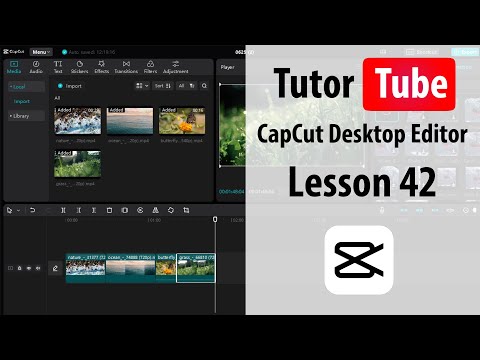
CapCut Desktop Editor Lesson 42 Freeze

Share your inquiries now with community members Click Here
Sign Up and Get Free Certificate
Sign up Now
Lesson extensions

Lessons List | 91 Lesson
Show More Lessons

Comments

Our New Certified Courses Will Reach You in Our Telegram Channel
Join Our Telegram Channels to Get Best Free Courses

Join Now

We Appreciate Your Feedback

Excellent
7 Reviews
Good
6 Reviews
medium
0 Reviews
Acceptable
0 Reviews
Not Good
0 Reviews
4.5
13 Reviews

Syed Zeeshan

I had an amazing learning experience with Mindluster. I completed the CapCut course from Basic to Advanced, and the entire course was very clear and practical. Every lesson was very easy to understand, even for a beginner, and the advanced features were explained in detail with examples.

The course helped me to enhance my video editing skills to a great extent, especially in transitions, effects, text animation, and professional video editing.

I highly recommend this course to everyone who wan
2026-02-27

ELA BOMEN HIA

very useful and increases my skills and knowledge
2026-02-21

Naveed Hussain Shah

excellent for beginners
2026-02-10

Madiha

very helpful and amazing
2026-01-12

Muskan Parvaiz

very nice
2026-01-09

Dagim GEZU Gezu

good
2025-11-28

BEDIS JH

yo
2025-11-20

Bereket

Thank you
2025-09-07

Himanshu Soni

Amazing
2025-08-26

Khalid

It Was Nice Course
2025-07-14

Olivah ADORAM

Le cours CapCut deskotp editors dans Mind Luster est extrêmement clair et bien structuré, il permet de maîtriser rapidement les fonctionnalités essentielles de l’application. J’ai particulièrement apprécié les explications détaillées et les exercices pratiques qui rendent l’apprentissage à la fois facile et motivant.
2025-07-07

OSMAN GHANI

nice
2025-05-11

Show More Reviews

Course Description

CapCut desktop editor essentials course, in this course we will learn about the foundational skills of CapCut Desktop Editor Essentials, focusing on how to effectively edit videos using CapCut's desktop version. This course covers all the essential tools and features, starting with importing and organizing your media files on the timeline. You will explore basic editing techniques such as cutting, trimming, and merging clips, as well as adding transitions and effects to enhance your video. We will also delve into audio editing, where you’ll learn to adjust sound levels, add background music, and synchronize audio with video. Additionally, you’ll discover how to apply text and titles, customize fonts, and animate text for dynamic visuals. The course will guide you through color correction and grading, ensuring your video has a professional finish. By the end of this course, you’ll be confident in using CapCut’s desktop editor to create polished, engaging videos, making it an excellent starting point for both beginners and those looking to refine their editing skills.

Trends
Recent
सीबीएसई परीक्षा के लिए कक्षा 12 जीवविज्ञान सीबीएसई परीक्षा के लिए कक्षा 12 जीवविज्ञान कक्षा 7 नागरिक शास्त्र SST वर्कशीट्स सीबीएसई बोर्ड परीक्षा के लिए कक्षा 12 भौतिकी कक्षा 8 इतिहास SST वर्कशीट अभ्यास कक्षा 7 इतिहास SST वर्कशीट अभ्यास कक्षा 8 भूगोल SST वर्कशीट कक्षा 7 भूगोल SST वर्कशीट कक्षा 8 नागरिक शास्त्र SST वर्कशीट CBSE बोर्ड परीक्षा के लिए कक्षा 10 विज्ञान कक्षा 10 सामाजिक विज्ञान अंग्रेज़ी माध्यम कक्षा 6 सामाजिक विज्ञान पुनरावृत्ति CBSE सीबीएसई के लिए कक्षा 10 विज्ञान पुनरावृत्ति सीबीएसई कक्षा 9 अंग्रेज़ी साहित्य रीडर कक्षा 12 व्यवसाय अध्ययन पुनरावृत्ति कक्षा 6 सामाजिक विज्ञान समाज की खोज कक्षा 6 सामाजिक विज्ञान समाज की खोज कक्षा 12 व्यापक अर्थशास्त्र पुनरावृत्ति कक्षा 9 विज्ञान पाठ्यक्रम पुनरावृत्ति कक्षा 6 सामाजिक विज्ञान वर्कशीट CBSE