×
MindLuster Logo

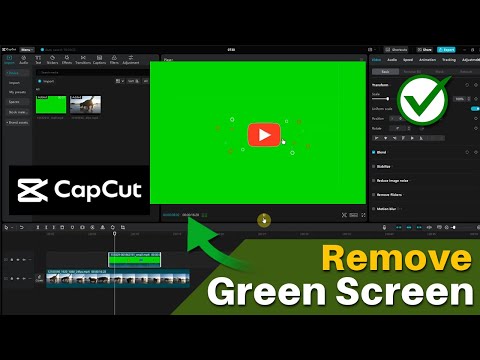
How to Remove Green Screen in CapCut on PC Laptop CapCut Chroma Key

Share your inquiries now with community members Click Here
Sign Up and Get Free Certificate
Sign up Now
Lesson extensions

Lessons List | 2 Lesson

Comments

Our New Certified Courses Will Reach You in Our Telegram Channel
Join Our Telegram Channels to Get Best Free Courses

Join Now

We Appreciate Your Feedback

Excellent
105 Reviews
Good
112 Reviews
medium
17 Reviews
Acceptable
9 Reviews
Not Good
3 Reviews
4.2
246 Reviews

Mohit Verma

Good
2026-01-01

SAROJAN K

It was so amazing
2026-01-01

malik malik

I AM VERY HAPPY FOR THIS APPERTUNTIS
2026-01-01

shafique shah

good
2025-12-31

Osman Seid Ebrahim

it was good i saw the sequence u use
2025-12-31

Harshu

Something okay
2025-12-29

oke caleb

The course is great and easy to follow
2025-12-29

Payal kumawat

awsome
2025-12-27

Ajeya Dubey

It was good for beginners
2025-12-25

wll Aadan Gacal 83

I really enjoyed the CapCut Video Editing for Beginners course! It’s perfect for newcomers to video editing, with easy-to-follow lessons that cover everything from basic cuts to adding text and music. The practical exercises helped me build my skills quickly.

While I would have loved to see some more advanced techniques, overall, it’s a fantastic starting point for anyone wanting to get into video editing. Highly recommend it!
2025-12-24

M.Rabi

This cource is very good because i have learned more from this cource
2025-12-23

Issam Rouifi

good
2025-12-22

Show More Reviews

Course Description

CapCut video editing course, in this course you will master the art of video editing using CapCut, a versatile and user-friendly video editing tool. We'll start with the basics, guiding you through the interface and essential features, including cutting, trimming, and arranging clips on the timeline. You’ll learn how to add transitions, effects, and filters to enhance your videos, and explore creative tools like text overlays, stickers, and animations. The course will also cover how to incorporate music, adjust audio levels, and synchronize sound with video for a polished finish. As we progress, you’ll dive into more advanced techniques, such as using keyframes, green screen effects, and video speed adjustments to create professional-quality content. By the end of the course, you'll be equipped to edit videos for social media, YouTube, or personal projects with confidence. Whether you're a beginner or looking to refine your video editing skills, this course will help you make the most out of CapCut’s powerful features.