×
MindLuster Logo

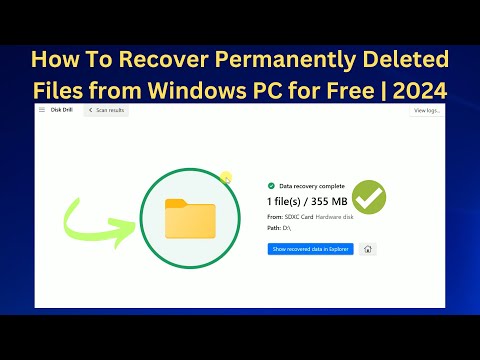
How To Recover Permanently Deleted Files from Windows PC for Free 2024

Share your inquiries now with community members Click Here
Sign Up and Get Free Certificate
Sign up Now
Lesson extensions

Lessons List | 2 Lesson

Comments

Our New Certified Courses Will Reach You in Our Telegram Channel
Join Our Telegram Channels to Get Best Free Courses

Join Now

We Appreciate Your Feedback

Excellent
23 Reviews
Good
16 Reviews
medium
2 Reviews
Acceptable
0 Reviews
Not Good
0 Reviews
4.5
41 Reviews

Vijay computers

good
2026-02-06

Σωτήρης Φωκά

δσδσ
2026-01-11

Theophilus Saka

The lesson was ok.  but i think he left out the section where you have to activate the exe app
2025-12-13

FOR WORK

“Clear, simple, and effective course. The teaching style was excellent.”
2025-12-02

Edwin

Good job
2025-11-24

Ralph Christian Hocamis

Very informative video course.
2025-11-13

sandhir sahani

Subscribe Now For Free in Our Telegram Channel
2025-11-12

Mohamad Chaki

god
2025-11-03

Shahnawaz

great
2025-09-20

Ashish Sangroula

Very nice and effective
2025-09-16

cyrus kanuthu

good
2025-09-15

Joakim Bardal

Nice
2025-09-12

Show More Reviews

Course Description

Recover deleted files from windows, in this course we will learn about the different methods to recover deleted files from Windows systems, including Windows 10, 11, 8, and 7. You’ll discover how to use built-in tools like the Recycle Bin, File History, and Backup and Restore, as well as powerful third-party recovery software. We’ll guide you step-by-step through recovering files from internal drives, USBs, memory cards, and even after formatting or system crashes. You’ll also learn how to use the Command Prompt for file recovery and understand which recovery methods suit different situations. Whether you lost photos, documents, or videos, this course provides practical techniques to help you recover your data safely and efficiently. By the end of the course, you’ll be confident in handling file loss on Windows and protecting your important data in the future. Let’s get started. How To Fix Tech

Trends
Recent