×
MindLuster Logo

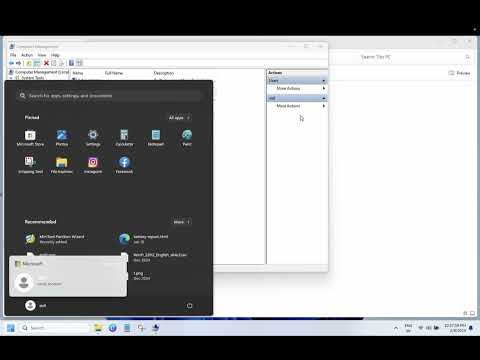
How to Remove or Disable Administrator Account In Windows 11

Share your inquiries now with community members Click Here
Sign Up and Get Free Certificate
Sign up Now
Lesson extensions

Lessons List | 4 Lesson

Comments

Our New Certified Courses Will Reach You in Our Telegram Channel
Join Our Telegram Channels to Get Best Free Courses

Join Now

We Appreciate Your Feedback

Be the First One Review This Course

Excellent
0 Reviews
Good
0 Reviews
medium
0 Reviews
Acceptable
0 Reviews
Not Good
0 Reviews
0
0 Reviews

Yuvaraj R

good
2025-11-13

Alaikhya. R

Good 👍
2025-09-29

Jesus E. Colon Garcia

Cool
2025-09-11

KAVINAYA S

KAVINAYA S
2025-08-18

p kumari

good
2025-08-16

Cliford Quetant

great website
2025-07-28

Mohammed Irfan

hii
2025-07-13

SHUNMUGA SARAN V 24ECR096

good
2025-06-24

IBINGA IBINGA jean jules

J'aimerais si possible avoir aussi la version française
2025-06-01

KANGA ELISEE FAM KOUAME

GENIAL TRES  PERCUTANT COMME COURS
2025-05-17

Darshana Gujare

Good
2025-05-11

Jensell Lideros

thank you
2025-04-25

Course Description

Fix windows 11 login problems, in this course we will learn about fixing Windows 11 login problems step by step, including issues like incorrect passwords, PIN not working, login loops, black screens after login, and account access errors. You’ll explore how to reset your password, repair user profiles, activate hidden admin accounts, and use Safe Mode or recovery tools effectively. The course will guide you through troubleshooting both local and Microsoft accounts, resolving biometric login errors (fingerprint/face), and addressing login delays or freezing. Whether you're locked out of your PC or experiencing repeated sign-in failures, this course offers practical solutions with easy-to-follow methods. By the end, you’ll be able to restore access to your system confidently and prevent future login issues. Let’s get started and fix those Windows 11 login problems today. How To Fix Tech