×
MindLuster Logo

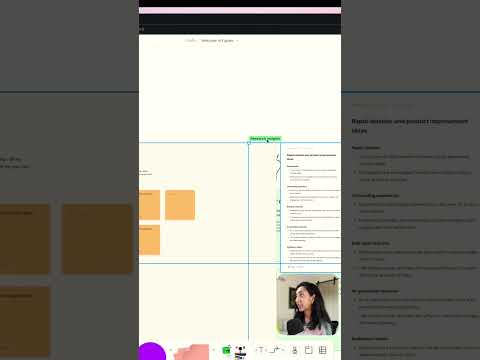
Figma s new AI features for UX figjam figma

Share your inquiries now with community members Click Here
Sign Up and Get Free Certificate
Sign up Now

Lessons List | 16 Lesson

Comments

Our New Certified Courses Will Reach You in Our Telegram Channel
Join Our Telegram Channels to Get Best Free Courses

Join Now

We Appreciate Your Feedback

Excellent
20 Reviews
Good
24 Reviews
medium
1 Reviews
Acceptable
0 Reviews
Not Good
0 Reviews
4.4
45 Reviews

Isaiah Lynel G. Pineda

W
2025-12-13

Tristan Jay R. Alejandro

"Go confidently in the direction of your dreams. Live the life you have imagined." 
- Henry David Thoreau
2025-12-08

KENGI MANONGDO

a
2025-12-02

Aldro Altar

Learned a lot
2025-11-23

Suriyaprakash V

The “Figma for UX/UI Design” course was really helpful in understanding design fundamentals and practical workflows. The lessons were clear, well-structured, and easy to follow. Overall, it improved my confidence in using Figma for professional design projects.
2025-11-04

Manoj Bandari

It was really awesome to learn this kind of new things. For Beginners it gives you lot of confident and gain more help. I hope this course might give you some confidence
2025-10-09

Anisaa nur

good
2025-08-23

Mohamed-Nour

Good
2025-08-18

Vandana

Very Nice course
2025-07-18

Gowtham Reddy Gurram

good
2025-07-04

Prem Dilip

good
2025-06-16

Asadullah Shahbaz

Good
2025-06-16

Show More Reviews

Course Description

Figma for UX/UI design, in this course we will learn about using Figma for UX/UI design and how it serves as a powerful, collaborative platform for creating user-centered digital experiences. You’ll begin by exploring the Figma interface, learning how to use essential tools like frames, shapes, text, components, and auto layout. The course covers how to design wireframes, mockups, and fully interactive prototypes for web and mobile interfaces. You’ll also learn how to work with design systems, use shared libraries, and collaborate in real time with teams or stakeholders. We’ll guide you through UX workflows such as creating user flows, designing with accessibility in mind, and preparing files for handoff to developers. Whether you’re just getting started or want to sharpen your UX/UI design skills, this course gives you practical, hands-on experience with Figma’s most powerful features. By the end, you’ll be equipped to design and present professional, user-friendly digital interfaces with confidence. DesignerUp