×
MindLuster Logo

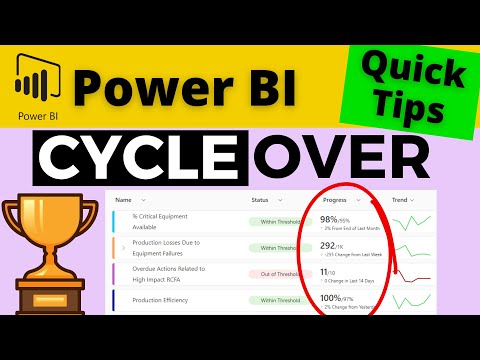
QT 81 How to Configure the Time Period Cycle Over Comparison Values in Power BI Metrics

Share your inquiries now with community members Click Here
Sign Up and Get Free Certificate
Sign up Now
Lesson extensions

Lessons List | 6 Lesson

Comments

Our New Certified Courses Will Reach You in Our Telegram Channel
Join Our Telegram Channels to Get Best Free Courses

Join Now

We Appreciate Your Feedback

Excellent
29 Reviews
Good
32 Reviews
medium
3 Reviews
Acceptable
0 Reviews
Not Good
1 Reviews
4.4
65 Reviews

Kishore Krish

nice
2025-12-16

Nandhini

Good
2025-12-12

sarvesh parkar

nice explain
2025-12-11

dakoun lahoucine

Ce cours sera très bénéfique pour ma carrière.
2025-12-05

Lavanya Ashokkumar

i learnt about manything
2025-11-30

Sushmitha R Upadyaya

great
2025-11-19

Mohamed Brima

Nice Course
2025-11-19

Pritam Kambar

it was great!!
2025-11-17

PAVAN SAI SATIVADA

Good
2025-11-14

Kumar raju Bejawada

Excellent
2025-11-13

Tuyen Hohoang

good
2025-11-05

Bayisa

good
2025-11-05

Show More Reviews

Course Description

Power BI metrics, in this course we will learn about Power BI metrics course. Power BI is a powerful business analytics tool that helps organizations visualize data and share insights across teams. This course focuses on teaching you how to create, manage, and analyze key metrics that drive business decisions. You will explore how to design effective Key Performance Indicators (KPIs) and custom metrics using Power BI’s versatile tools. The course covers data modeling techniques, DAX formulas for advanced calculations, and how to build interactive dashboards that highlight your metrics clearly. Additionally, you will learn to implement time intelligence metrics, set up real-time data monitoring, and optimize report performance. By mastering these Power BI metrics skills, you can transform raw data into actionable insights, enabling better strategic planning and decision-making for your organization. Jason Davidson Power BI