×
MindLuster Logo

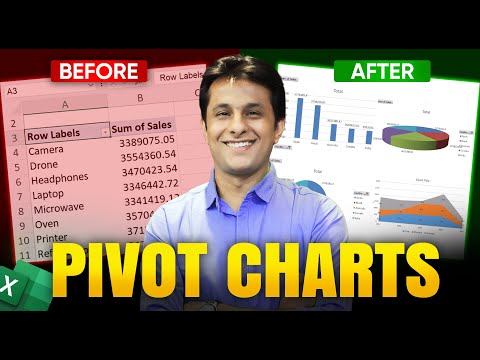
8 3 How to Create Pivot Charts in Excel Excel Tutorial For Beginners

Share your inquiries now with community members Click Here
Sign Up and Get Free Certificate
Sign up Now
Lesson extensions

Lessons List | 24 Lesson

Comments

Our New Certified Courses Will Reach You in Our Telegram Channel
Join Our Telegram Channels to Get Best Free Courses

Join Now

We Appreciate Your Feedback

Excellent
41 Reviews
Good
28 Reviews
medium
2 Reviews
Acceptable
0 Reviews
Not Good
0 Reviews
4.5
71 Reviews

KANIMODO BOLUWATIFE

Excellent
2026-11-20

AYIBIOWU RANTI ADEMOLA

Satisfactory
2026-11-20

Sandhya Rathore

good explanation but I think they need to explain in hindi also
2026-11-20

BABALOLA ADEMOLA ISMAIL

INTERESTING
2026-11-19

Akeredolu Iwalewa

EXCELLENT, I LEARN'T ALOT.
2026-11-19

OGUNYIMINU OLUWAKEMI

GOOD
2026-11-18

ADEBAYO TEMITOPE

Very interesting
2026-11-17

OLAPADE FUNKE

Exellent
2026-11-17

Ogunbote Mariam

GOOD
2026-11-16

ipet cool

I FEEL THAT I CAN GAIN MANY BENEFITS AND A GREAT DEAL OF INFORMATION FROM THIS COURSE
2026-11-16

Pathan Naaz

I like it
2026-11-15

Olufunmilola Thomas

Very educative
2026-11-13

Show More Reviews

Course Description

Create a custom List in excel, in this course teaches you how to design and use personalized lists to speed up data entry, enhance sorting, and streamline repetitive tasks. You’ll start by understanding Excel’s default lists and how to create your own from scratch or by importing data from a cell range. The course covers setting up lists for autofill, applying them for custom sorting orders, and using them in data validation for controlled input. You’ll also learn to update and manage your lists efficiently, export them for use in other files, and integrate them into advanced features like Pivot Tables and Power Query. Practical examples include lists for employee names, product categories, project stages, and more. By the end, you’ll have the skills to improve accuracy, save time, and customize Excel workflows, making your spreadsheets more efficient and tailored to your specific needs. Pavan Lalwani

Trends
Recent