
 34 Lessons
 12.2K Students





Lalit Pandey
very good platform
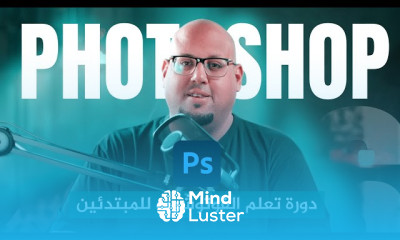
Can I download Photoshop for free? Photoshop is a paid-for image-editing program, but you can download a free Photoshop in trial form for both Windows and macOS from Adobe. With a Photoshop free trial, you get seven days to use the full version of the software, at absolutely no cost, which gives you access to all the latest features and updates. Can I buy photoshop permanently? If you want to be able to perform random edits to photos in the future without paying for a subscription or re-subscribing every time you want to edit photos, you'll need to buy a standalone version of Photoshop. With Photoshop Elements, you pay once and own it forever. Which Photoshop is best? Which of the Photoshop Versions Is Best for You? Adobe Photoshop Elements. Let's start with the most basic and simple version of Photoshop but don't be fooled by the name. ... Adobe Photoshop CC. If you want more control over your photo editing, then you need Photoshop CC. ... Lightroom Classic. ... Lightroom CC. Is Photoshop worth the money? If you need (or want) the best, then at ten bucks a month, Photoshop is most certainly worth it. While it's used by a lot of amateurs, it's undoubtedly a professional program. ... While other imaging apps have some of Photoshop's features, none of them are the complete package Are older versions of Photoshop free? The key to this whole deal is that Adobe allows a free Photoshop download only for an old version of the app. Namely Photoshop CS2, which was released in May 2005 Why is Adobe Photoshop so expensive? Yet the reason they're able to charge so much is because the software is used in the design industry, where the cost is relatively low to what is charged for services. Now Adobe understands the Photoshop is also used recreationally by those who are not professional. How can i get photoshop cheap? 6 Cheap Alternatives to Adobe Photoshop GIMP (Free) For many years, GIMP has been touted as the ideal free alternative to Photoshop. ... Photo Pos Pro 3 (Free/Premium $30) ... Affinity Photo ($50) ... Pixelmator ($30) ... Adobe Photoshop Express (Free) ... Pixlr (Free)
 To Register in Course you have to watch at least 30 Second of any lesson
 Master how to download and install Adobe Photoshop free trial on Windows and macOS platforms
Identify the differences between Photoshop CC, Photoshop Elements, and older versions like CS2 for suitable use cases
Evaluate whether Adobe Photoshop is worth the subscription cost based on professional and recreational needs
Apply basic photo editing techniques using Adobe Photoshop to enhance images effectively
Utilize alternative free and affordable image editing tools such as GIMP, Pixlr, and Adobe Photoshop Express for various projects
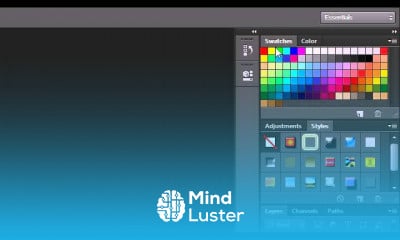
Navigate Adobe Photoshop interface and access essential tools for efficient photo manipulation
Implement advanced editing features in Photoshop CC for professional-quality image enhancement and retouching
Understand licensing options and purchase methods for Adobe Photoshop to suit different budgets and requirements
Compare features of Adobe Photoshop with other image editing software to select the best tool for specific tasks
Troubleshoot common issues during Photoshop installation and usage to ensure smooth workflow
34 Lessons • 7 h 57 m total
 You must have an
Account
on the platform.
Complete all lessons.
Watch at least 50% of Lesson Duration.
Get your Certificate free 🎉 !
4.6
 (488 reviews)
Overall rating

Be the First One Review This Course
very good platform

I really enjoyed this course. It was a valuable learning experience that helped me broaden my knowledge, strengthen my skills, and gain new perspectives. The lessons were well-organized, easy to follow, and relevant to professional development. I especially appreciated the quality of the learning materials and the practical approach. This course has motivated me to continue learning and improving my professional abilities. I highly recommend it.

useful course

Good

It's good and I like it

super
Happy

good

Good
BEST OF ALL

This course is very explanatory and helpful. I love it!

Can I download Photoshop for free? Photoshop is a paid-for image-editing program, but you can download a free Photoshop in trial form for both Windows and macOS from Adobe. With a Photoshop free trial, you get seven days to use the full version of the software, at absolutely no cost, which gives you access to all the latest features and updates. Can I buy photoshop permanently? If you want to be able to perform random edits to photos in the future without paying for a subscription or re-subscribing every time you want to edit photos, you'll need to buy a standalone version of Photoshop. With Photoshop Elements, you pay once and own it forever. Which Photoshop is best? Which of the Photoshop Versions Is Best for You? Adobe Photoshop Elements. Let's start with the most basic and simple version of Photoshop but don't be fooled by the name. ... Adobe Photoshop CC. If you want more control over your photo editing, then you need Photoshop CC. ... Lightroom Classic. ... Lightroom CC. Is Photoshop worth the money? If you need (or want) the best, then at ten bucks a month, Photoshop is most certainly worth it. While it's used by a lot of amateurs, it's undoubtedly a professional program. ... While other imaging apps have some of Photoshop's features, none of them are the complete package Are older versions of Photoshop free? The key to this whole deal is that Adobe allows a free Photoshop download only for an old version of the app. Namely Photoshop CS2, which was released in May 2005 Why is Adobe Photoshop so expensive? Yet the reason they're able to charge so much is because the software is used in the design industry, where the cost is relatively low to what is charged for services. Now Adobe understands the Photoshop is also used recreationally by those who are not professional. How can i get photoshop cheap? 6 Cheap Alternatives to Adobe Photoshop GIMP (Free) For many years, GIMP has been touted as the ideal free alternative to Photoshop. ... Photo Pos Pro 3 (Free/Premium $30) ... Affinity Photo ($50) ... Pixelmator ($30) ... Adobe Photoshop Express (Free) ... Pixlr (Free)
Experience the full power of Mindluster with Premium.
No distractions, just pure education.
Cancel your subscription anytime