.
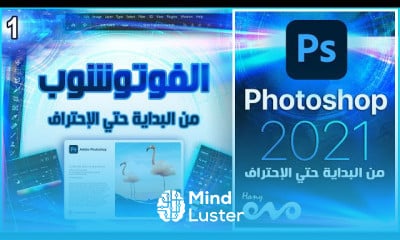
Photoshop is your go-to application for working with pixel-based images designed for print, web, and mobile apps. Powerful editing tools let you correct exposure and color balance, crop and straighten images, alter colors in your photograph, remove blemishes from a portrait, or combine multiple images into a new scene.
To Register in Course you have to watch at least 30 Second of any lesson
What You'll Learn
-
Master basic Photoshop tools for photo editing, retouching, and image enhancement using Adobe Photoshop software
-
Apply cropping, straightening, and exposure adjustments to improve image composition and quality effectively
-
Utilize color correction and balancing techniques to enhance visual appeal and achieve desired artistic effects
-
Remove blemishes, imperfections, and unwanted objects from photographs with precision and confidence
-
Combine multiple images seamlessly to create composite scenes and creative visual projects
-
Use selection tools and masking techniques for targeted editing and detailed image manipulation
-
Adjust image resolution, size, and format for optimal print, web, and mobile display
-
Implement layer management and blending modes to develop complex, professional-quality compositions
Course Content
37 Lessons • 13 h 32 m total
كورس فوتوشوب كامل من البداية حتي الاحتراف Photoshop 2021 Opening files in Photoshop
كورس فوتوشوب كامل من البداية حتي الاحتراف Photoshop 2021 Documents and Navigation Interface
كورس فوتوشوب كامل من البداية حتي الاحتراف Photoshop 2021 Panning and zooming documents
كورس فوتوشوب كامل من البداية حتي الاحتراف Photoshop 2021 Screen Modes
كورس فوتوشوب كامل من البداية حتي الاحتراف Customizing the Photoshop Interface Shortcut Tool
كورس فوتوشوب كامل من البداية حتي الاحتراف Photoshop 2021 Understanding file formats
كورس فوتوشوب كامل من البداية حتي الاحتراف Photoshop 2021 Color Mode
كورس فوتوشوب كامل من البداية حتي الاحتراف 08 Photoshop 2021 Color Space
كورس فوتوشوب كامل من البداية حتي الاحتراف Document Size Resolution Part 1
كورس فوتوشوب كامل من البداية حتي الاحتراف Document Size Resolution Part 2
كورس فوتوشوب كامل من البداية حتي الاحتراف Photoshop 2021 History
كورس فوتوشوب كامل من البداية حتي الاحتراف Photoshop 2021 Saving Document
كورس فوتوشوب كامل من البداية حتي الاحتراف Crop Canvas Size
كورس فوتوشوب كامل من البداية حتي الاحتراف Photoshop Layers
كورس فوتوشوب كامل من البداية حتي الاحتراف Photoshop Guides
كورس فوتوشوب كامل من البداية حتي الاحتراف Photoshop Frame Tool
كورس فوتوشوب كامل من البداية حتي الاحتراف Photoshop Align Distributes
كورس فوتوشوب كامل من البداية حتي الاحتراف Photoshop Quickly Export Image
كورس فوتوشوب كامل من البداية حتي الاحتراف Photoshop Color Basics
كورس فوتوشوب كامل من البداية حتي الاحتراف Photoshop Brushes
كورس فوتوشوب كامل من البداية حتي الاحتراف Photoshop Layer Mask
كورس فوتوشوب كامل من البداية حتي الاحتراف Photoshop Making Selections
كورس فوتوشوب كامل من البداية حتي الاحتراف Photoshop Local Pixel Editing and Retouching
كورس فوتوشوب كامل من البداية حتي الاحتراف Photoshop Blend Mode Essentials Part 1
كورس فوتوشوب كامل من البداية حتي الاحتراف Photoshop Blend Mode Essentials Part 2
كورس فوتوشوب كامل من البداية حتي الاحتراف Photoshop Blend Mode Essentials Part 3
كورس فوتوشوب كامل من البداية حتي الاحتراف Photoshop Smart Object
كورس فوتوشوب كامل من البداية حتي الاحتراف Photoshop Linked Files
كورس فوتوشوب كامل من البداية حتي الاحتراف Photoshop Transformations Part 1
كورس فوتوشوب كامل من البداية حتي الاحتراف Photoshop Transformations Part 2
كورس فوتوشوب كامل من البداية حتي الاحتراف Photoshop Adjustment Layer
كورس فوتوشوب كامل من البداية حتي الاحتراف Photoshop Essential Filters
كورس فوتوشوب كامل من البداية حتي الاحتراف الأشكال Photoshop Shape Layers
حل مشكلة الكتابة باللغة العربية في الفوتوشوب
إغتنم كنز قناتنا علي التليجرام
تأثيرات مهمه جدا بالفوتوشوب Layer Style Effect
الكتابة في الفوتوشوب Type Tool
How to Get The Certificate
-
You must have an Account on the platform.
-
Complete all lessons.
-
Watch at least 50% of Lesson Duration.
-
Get your Certificate free 🎉 !
4.3
(41 reviews)
Overall rating
Reviews
Be the First One Review This Course
Photoshop from the beginning Course Description
Photoshop is your go-to application for working with pixel-based images designed for print, web, and mobile apps. Powerful editing tools let you correct exposure and color balance, crop and straighten images, alter colors in your photograph, remove blemishes from a portrait, or combine multiple images into a new scene.
Focus on Learning, Not Ads
Experience the full power of Mindluster with Premium.
No distractions, just pure education.
Cancel your subscription anytime