×
MindLuster Logo

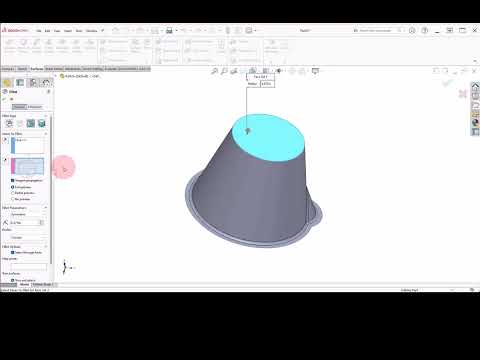
25 Chapter 4 Bucket with Surfaces

Share your inquiries now with community members Click Here
Sign Up and Get Free Certificate
Sign up Now
Lesson extensions

Lessons List | 33 Lesson

Comments

Our New Certified Courses Will Reach You in Our Telegram Channel
Join Our Telegram Channels to Get Best Free Courses

Join Now

We Appreciate Your Feedback

Excellent
18 Reviews
Good
15 Reviews
medium
0 Reviews
Acceptable
0 Reviews
Not Good
1 Reviews
4.4
34 Reviews

BOMBORU VIJAY GANESH ADIRAJ

excellent
2025-12-07

anmol rajak

Excellent
2025-11-10

kaushik walde

perfect platform
2025-11-07

SALMA RIDARI

Il facile la réalisation des projets et des conceptions 3D
2025-11-03

Haseeb Ur Rehman

Very good Basic Course. Lots of Learning
2025-10-30

Abhishek Mokashi

Excellent
2025-10-30

Aswin Pp

GOOD
2025-10-27

Dilleswar Sahoo

nice
2025-10-26

عبد الكريم العلي

الحمدلله
2025-10-12

Chirag K

Good
2025-10-06

Eslam Elsayed

gooooood
2025-10-03

Kavin Kishore

Super
2025-10-02

Show More Reviews

Course Description

SolidWorks sketching, in this course we will learn about SolidWorks sketching course. Sketching is the foundation of any 3D model in SolidWorks, and mastering it is essential for efficient design. This course covers the basics of creating 2D sketches, including lines, arcs, circles, and polygons, and how to apply dimensions and constraints to define geometry accurately. You will learn how to use sketch tools effectively to create complex shapes and prepare profiles for 3D features like extrusions and cuts. The course also teaches best practices for sketch organization, editing, and troubleshooting common sketch errors. By the end of this course, you will have a solid understanding of how to create precise and fully defined sketches that serve as the building blocks for successful 3D modeling in SolidWorks. Kay Rand Morgan